Budgets & retainers
Track project budgets and monthly retainers
Catch budget overruns early, before extra work eats into your fee. Track hours or billable value against your budgets as your team logs time.


Keep fixed-fee projects on budget
Set a budget in hours or money for the whole job, then compare it with the work your team logs. Use project reports to see where the hours went and quote the next job more accurately.
When revisions or extra requests start using up the allowance, you have the figures to discuss extra fees with your client before taking on more work.

See your remaining hours as you work
Pin a Goal for a client, project, task or team member to your Time screen. Check progress as you log time, without opening a report.
Keep a weekly billable-hours target alongside a client’s monthly allowance. A quick glance helps you decide how much time to spend on the next task and where to focus for the rest of the week.

Keep monthly retainers worth the work
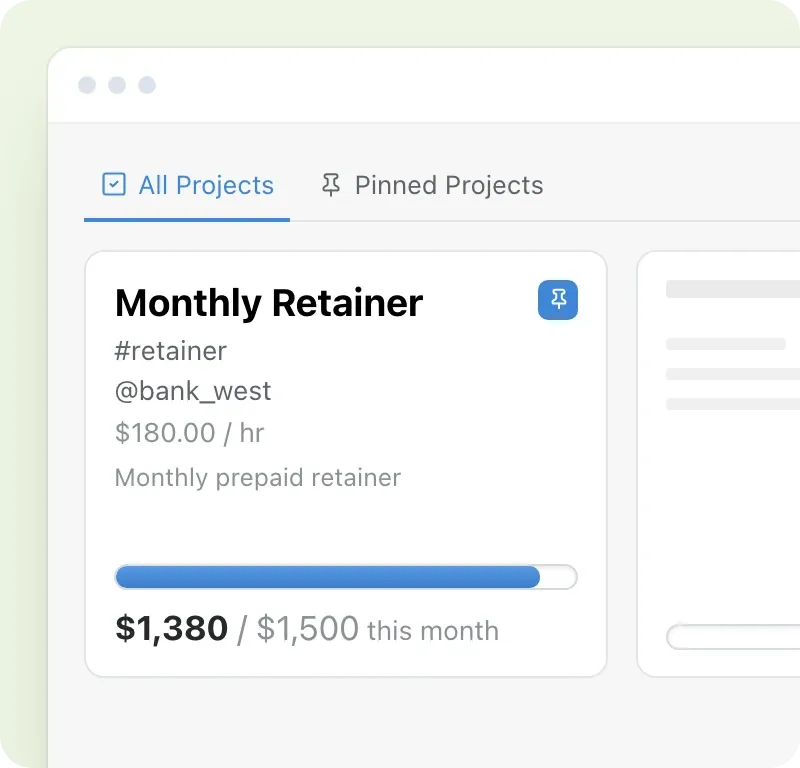
The extra calls and quick requests add up. Set a monthly allowance in hours or money for a client or project and see how much each month’s work uses. The budget resets on the first of each month.
When the work outgrows the fee, use those figures to agree a higher retainer or tighter scope.
Bill your fixed fee and agreed extras
Build invoices from your tracked hours, add fixed charges and include any agreed extras. Send the draft to your accounting software to approve and send.
 Shivani GangulyFounder & Principal, Friday Consulting
“MinuteDock makes it easy for us to track client budgets, and address situations where we are going over budget.”
Questions about budgets and retainers
- Can I track a retainer for a whole client?
Yes. Set a monthly Budget on the client’s Contact to cover all their work, or on a Project for one engagement. Choose hours to track all logged time, or money to track billable value at your rates.
- Can budgets repeat weekly or yearly?
Contact and Project Budgets can repeat weekly, monthly, quarterly, half-yearly or yearly. Each resets at the start of its calendar period, so monthly allowances restart on the first of each month.
- Can I budget in money instead of hours?
Yes. A Budget in money measures billable time at your Billing Rates against your allowance.
- Can I set a budget for specific dates?
Use a Goal with a start and end date for a defined period. For a whole project with no recurring reset, choose an “in total” Budget.
- How do I show a budget beside my timesheet?
Create it in Goals and pin it to the Time screen. Budgets set in Contact or Project settings stay on the Contacts or Projects screen.
- Can I track non-billable time?
Goals can include billable, non-billable or all time. Filter by people, clients, projects and tasks.
- Can my team try it for free?
Your team gets every feature free for 14 days, with no credit card needed. Every paid plan includes budgets, Goals and retainers; plans differ only in the number of users included. See pricing.
Try budget tracking on your next project
See the hours used and budget remaining as your team logs time. Agree extra scope before the allowance runs out. No credit card needed.