Time Tracking Software for Project Managers
Project time tracking software for professional services teams. When plans shift and scope starts creeping, MinuteDock shows where the hours are going—and what that means for budgets, WIP, and billing.
Send approved project time to the accounting tools your billing team already uses
Know where the project stands before the status meeting starts.
See which phases are on plan, where scope is eating into the budget, and how much work is ready to bill. No end-of-month hunt through timesheets and task boards.
Make time tracking fit the way the project is planned
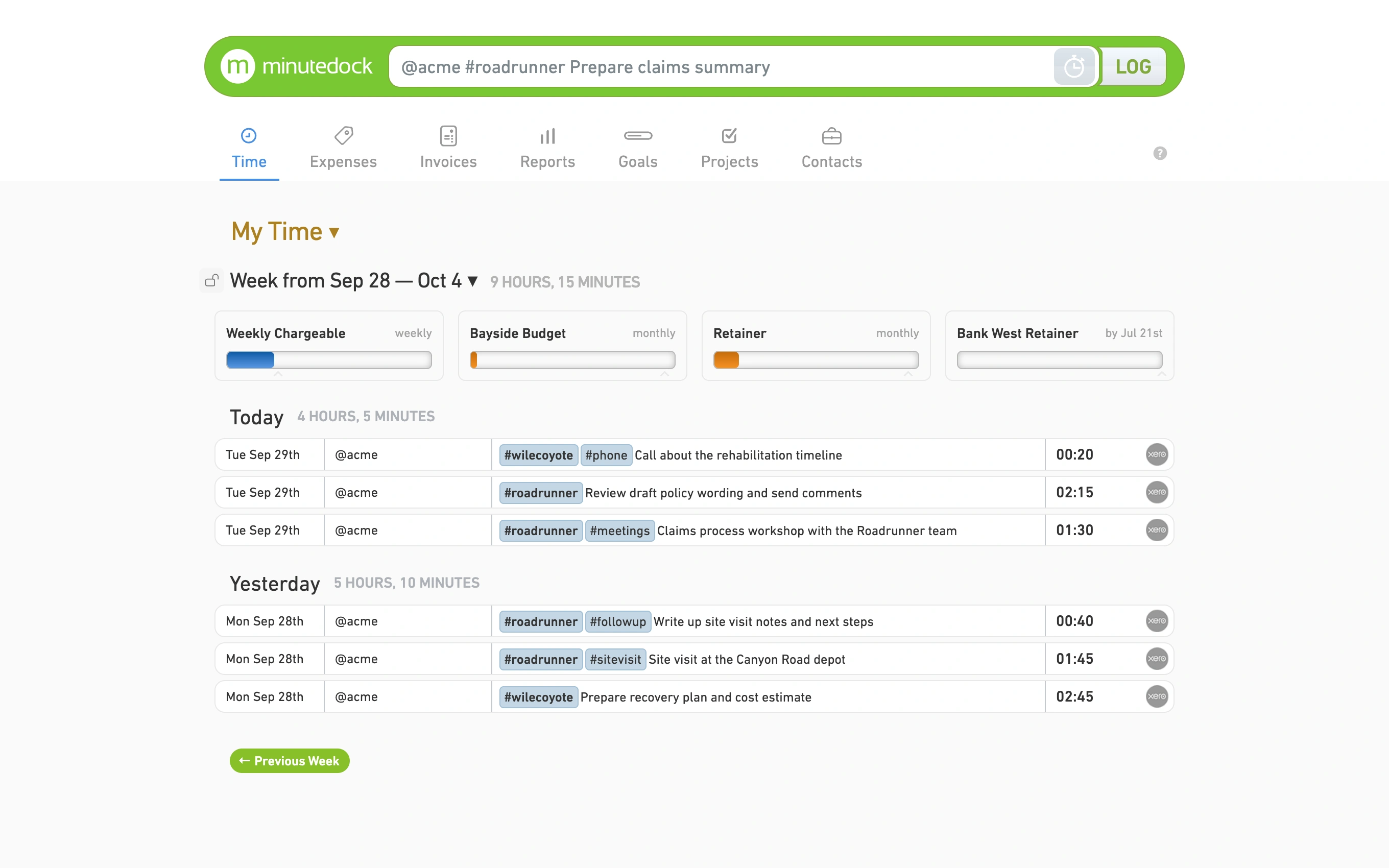
Discovery workshop at 9, client call at 11, delivery review after lunch. MinuteDock lets everyone log that work against the right client, project, phase, task, and activity before the details blur together.
- A record that matches the plan
- Organize time by client, project, phase, task, and activity.
- Switch projects without losing the plot
- Move from meetings to delivery work or project admin without losing time.
- Notes people can actually use
- Keep the detail a project review, handoff, or billing query needs.
Catch scope creep while there’s still time to respond
A project can look busy while quietly chewing through its budget. Compare tracked time with planned hours as work progresses, then have the scope, staffing, or client conversation before close.
- Budget left, at a glance
- See how much of the planned time the work has used so far.
- Phases running hot
- Spot the parts of a project taking more effort than expected.
- A fixed-fee reality check
- See the delivery effort behind work that isn’t billed by the hour.
- Time to make a call
- Adjust scope, staffing, or expectations while options remain.
See what team time means for project profitability
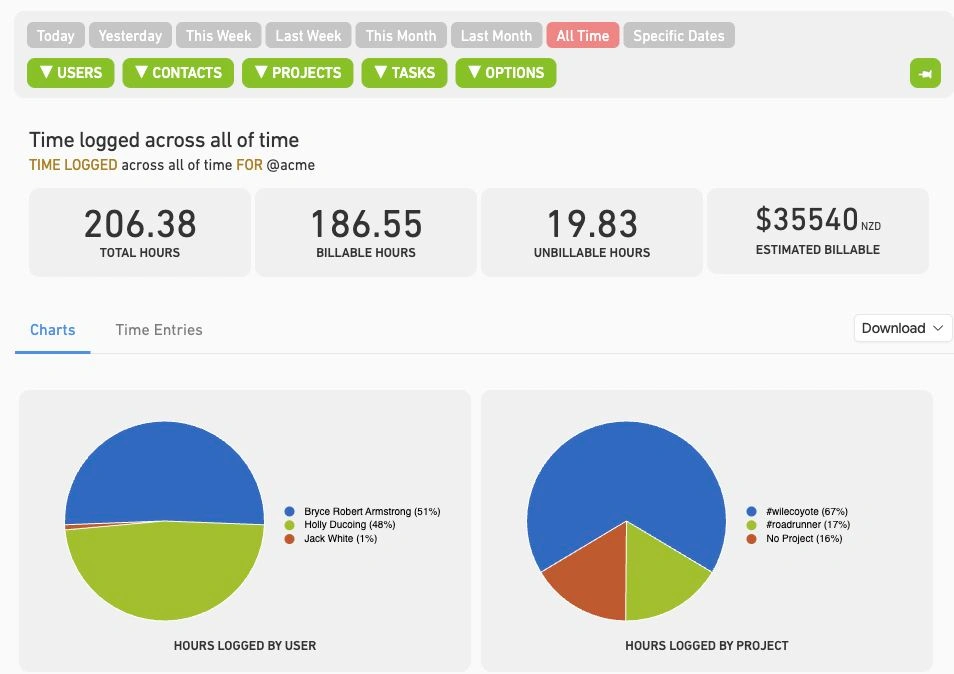
A timesheet should answer more than “who logged what?” Review WIP, billable value, utilization, and the delivery effort behind project profitability, then filter the picture for the review in front of you.
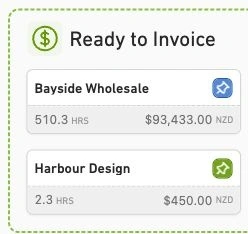
- Work ready to bill
- See billable value building across active client projects.
- Billable versus non-billable
- Compare the two across the delivery team.
- Where capacity is going
- Review how the team’s hours are spread across clients and projects.
- The view this review needs
- Filter reports by person, client, project, task, status, or date range.
Give the next estimate some evidence
That “two-week phase” took three and a half last time. Compare estimates with actual delivery time across completed projects, phases, and tasks, so the next plan starts with more than a hopeful spreadsheet.
- Plan versus reality
- Review where planned hours and delivered work parted company.
- Patterns across phases
- Find the discovery, delivery, or review stages that routinely need more time.
- A more credible resource plan
- Plan future work with a clearer picture of the effort involved.
- Less hopeful pricing
- Quote fixed-fee and hourly projects with real delivery data behind you.
Get approved project time ready for billing
When billing day arrives, the useful detail is already attached to the work. Review hours, rates, and notes, group them into invoice lines, then send the result to your accounting system.
- A faster billing review
- Group approved project work into invoice lines your way.
- Rates that follow the work
- Apply rates by person, client, project, task, or activity.
- The context stays attached
- Keep project notes, categories, and billable value together.
- No double entry
- Send billing data to Xero, QuickBooks, FreshBooks, MYOB, or Wave.
Your project plan can stay right where it is
MinuteDock isn’t here to become another board your team has to maintain. Keep tasks, dependencies, files, and delivery updates in your project management tool; use MinuteDock to connect the actual hours to budgets, WIP, profitability, and billing.
- Your project management tool
- Plan the tasks, owners, deadlines, and dependencies.
- Coordinate delivery updates, files, and team discussion.
- Keep everyone clear on what needs to happen next.
- MinuteDock
- Record the actual time by client, project, phase, task, and activity.
- See how those hours affect budgets, WIP, utilization, and profitability.
- Prepare approved project time for client billing.
Want a clearer read on your projects?
Try MinuteDock free for 14 days and see what your project hours have been trying to tell you.
Connect to your accounting software to streamline your workflow
Wave
Track time and invoice clients with Wave. Sync timesheets to Wave and create beautiful invoices, accept online payments, and make accounting easy!
Xero
The smart choice for professional services using Xero. Your hours land perfectly formatted, ready to invoice with your Xero branding and settings.
QuickBooks
Track time, sync to QuickBooks, invoice clients – done. Works seamlessly with your QuickBooks invoicing and payroll, using all your existing settings.
MYOB
Time tracking that gets how MYOB works. Your hours flow straight through as perfectly formatted and ready-to-go invoices – using your MYOB branding and settings.
Freshbooks
The time tracking app for Freshbooks Accounting software. Track timesheets via MinuteDock's web and mobile apps, sync to Freshbooks for billing clients.

Sage Business Cloud
Add time tracking capabilities to Sage Business Cloud. Employee timesheets tracked via MinuteDock's mobile and web apps sync to Sage for billing and payroll.
Frequently asked questions
- Can my team use MinuteDock without an accounting integration?
Absolutely. MinuteDock works on its own, so your team can track time, review budgets, and run reports without connecting anything else. If you want to shorten the billing handoff, you can connect Xero, QuickBooks, FreshBooks, MYOB, or Wave later.
- Can people track project time away from their desks?
Yes. MinuteDock has iPhone and Android apps that sync with the same account, and they’re included with your subscription. A client visit or off-site workshop doesn’t have to become tomorrow’s timesheet puzzle.
- Can we bring existing project and timesheet data into MinuteDock?
Yes. Send our support team a CSV file at team@minutedock.com and we’ll help import the data, so you don’t have to leave useful project history behind.
- What should project managers look for in time tracking software?
Start with something the delivery team will actually use. Then make sure the records can answer a budget or billing question without a spreadsheet rescue mission. MinuteDock combines quick time capture with reporting across clients, projects, phases, tasks, WIP, utilization, and billable value.
- Where does MinuteDock fit with my project management software?
Keep using your existing tool for task planning, scheduling, issue tracking, and collaboration. MinuteDock handles the time-and-billing side: actual hours, project budgets, WIP, utilization, reporting, and the billing handoff.
- How can I keep an eye on project budgets and scope?
Set a budget for the client project, phase, or recurring work, then compare it with the time recorded so far. You can see when delivery is using more of the allowance than planned and decide what to change before close.
- What can I include in a project time report?
Reports can show billable and non-billable time, WIP, billable value, project budgets, and team activity. Filter them by person, client, project, task, status, or date range to get the view your review needs.
- How does tracked project time reach client billing?
Review the work, apply billing rates, and group approved time into invoice lines. You can bill from MinuteDock or send the data to Xero, QuickBooks, FreshBooks, MYOB, or Wave—without typing it all in again.