Android time tracking app for client work on the go.
Record billable meetings and calls before you forget them. Save the time, client and project from your phone.
One timesheet for your phone and computer, ready for reporting and invoicing.
Free download · Android 12 or later
See plans and pricing →Explore the Android app
Track client time before you forget it
Log the meeting while you’re still at your client’s office, instead of piecing it together on Friday.
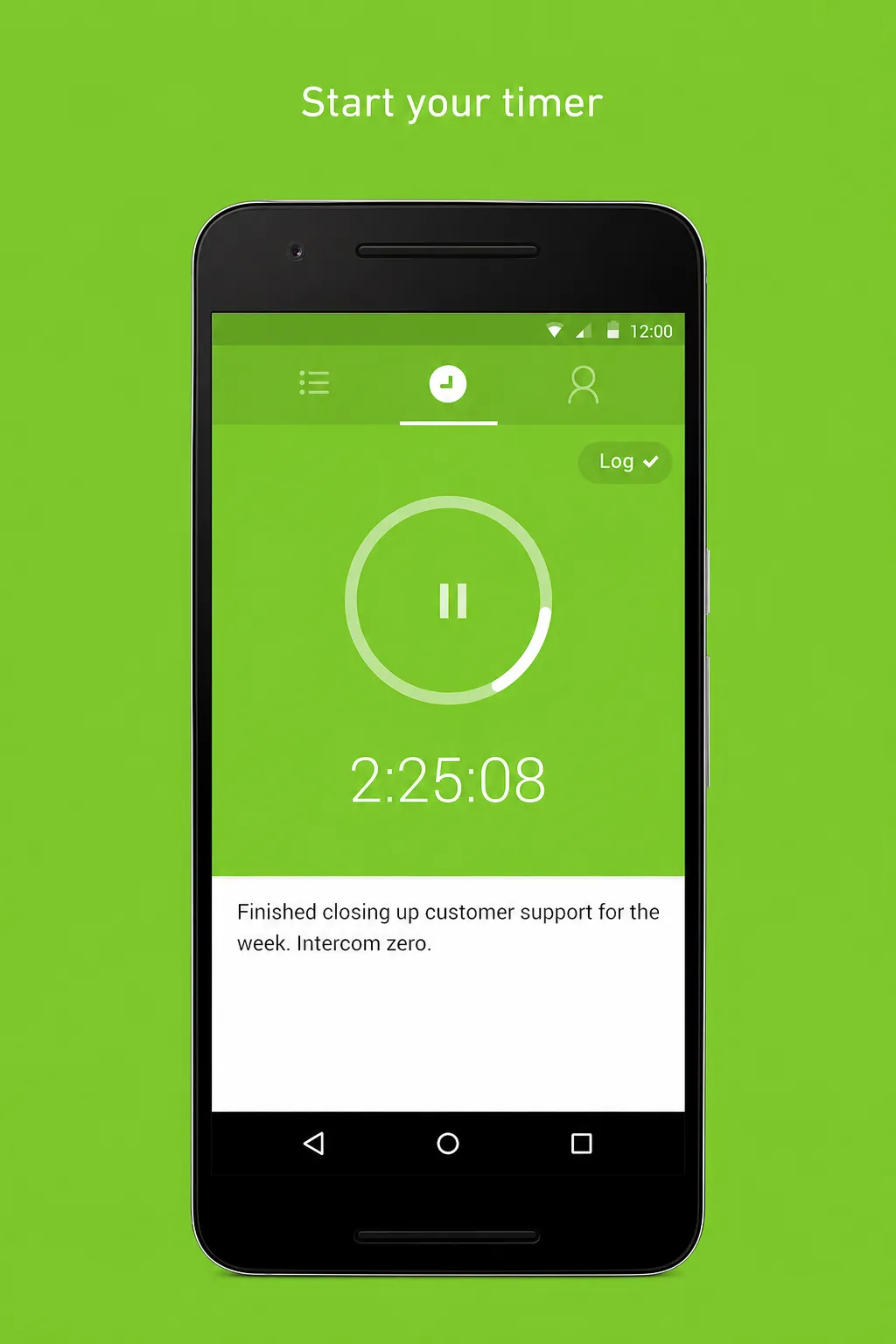
Start and stop your timer
Start on your computer and stop from your phone, or track the whole job on Android.
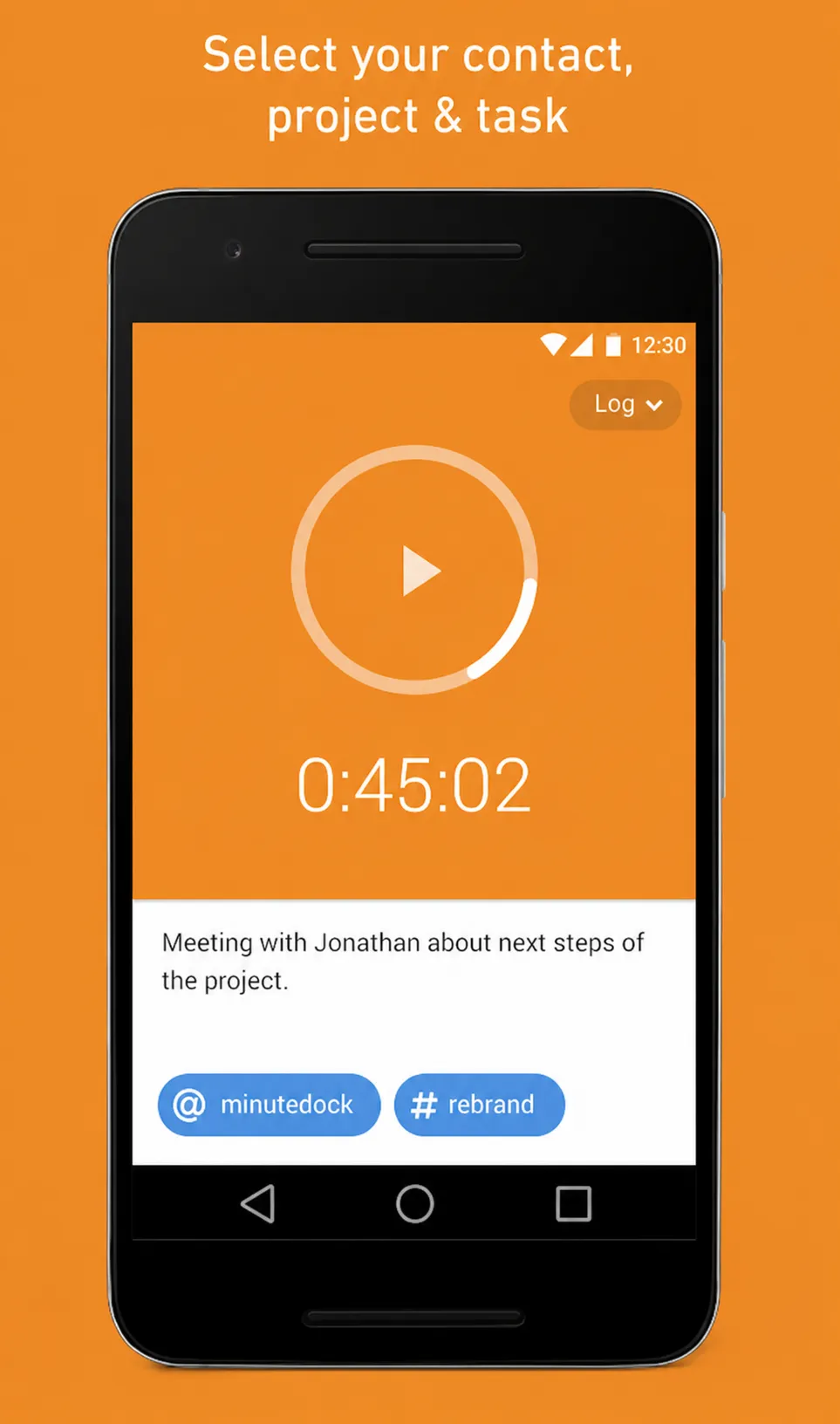
Add the client and project
Save a note with your time so you can show clients what you worked on.
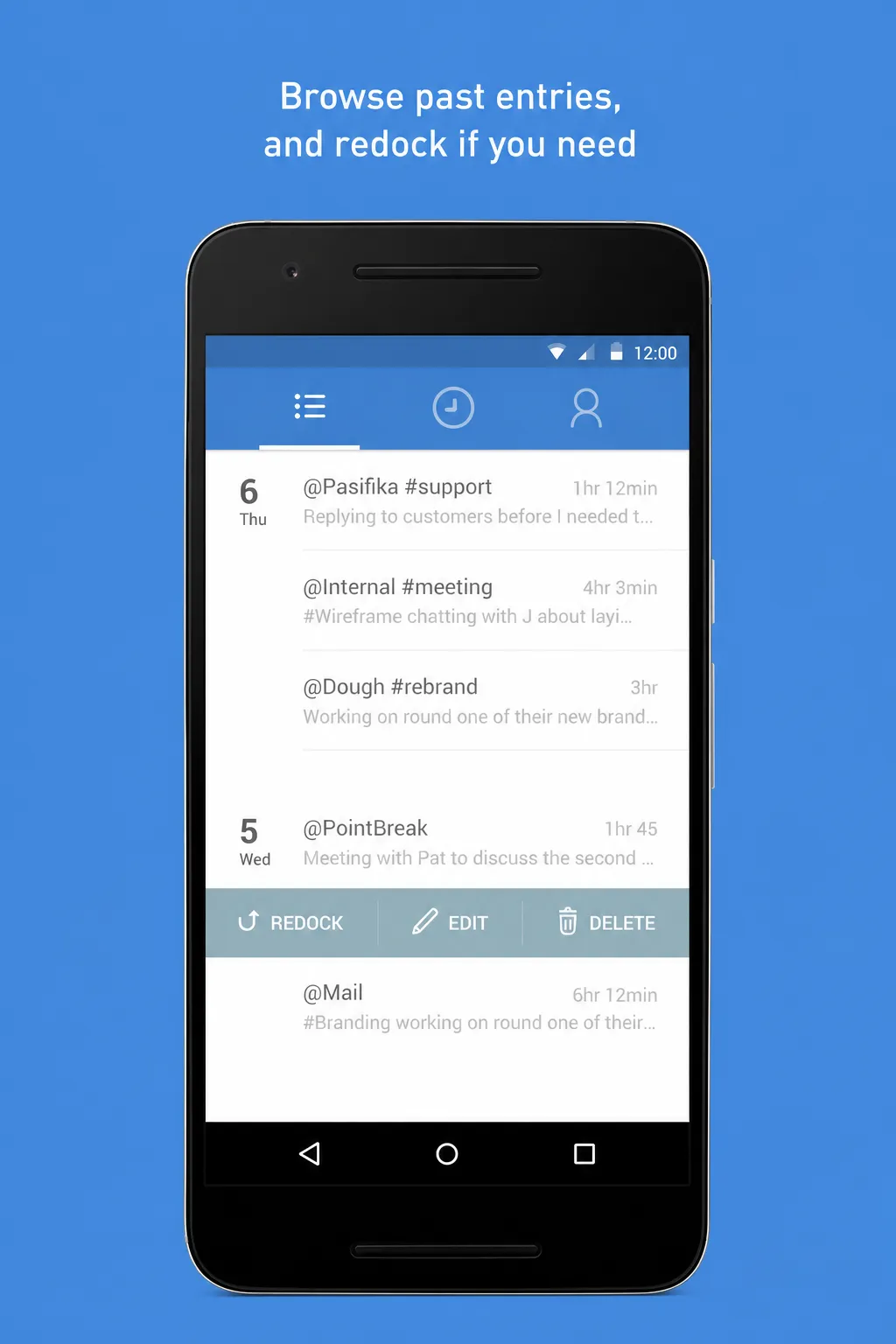
Add or correct past entries
Enter time manually if you forgot the timer, or edit an earlier entry.
Turn mobile time into reports and invoices
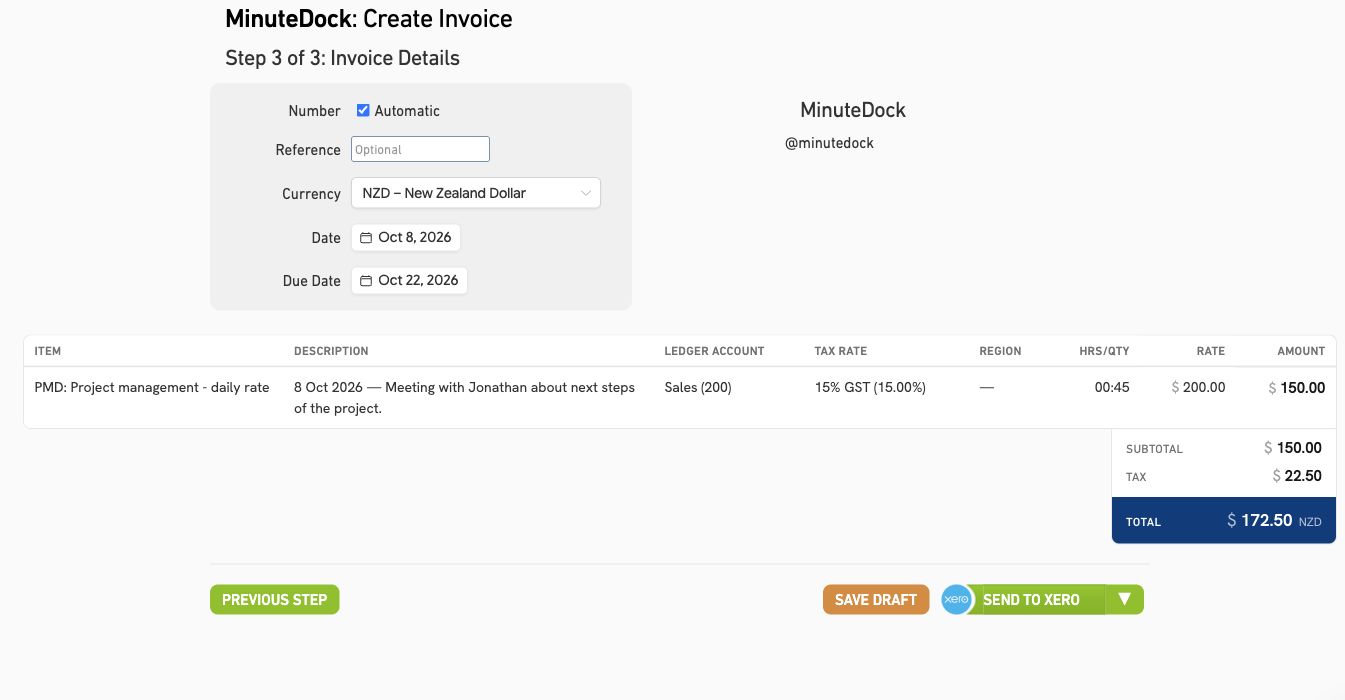
Hours logged on your phone appear in your web reports and billing. No copying notes or re-entering time.
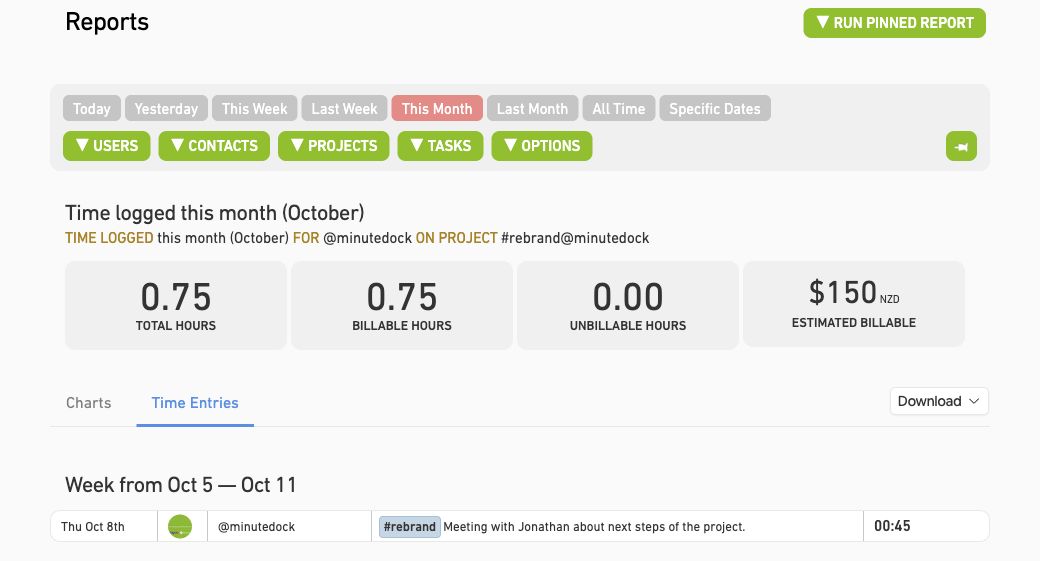
See where your team’s time goes
Compare hours by client, project or team member. Mobile hours also count towards your project budgets.
Explore time reports →Invoice through your accounting software
Turn tracked hours into invoices in Xero, QuickBooks, MYOB, FreshBooks or Wave.
See how billing works →Find your accounting integration →Keep the whole team’s client hours together
Your team can log work at client sites, with those hours appearing alongside everyone else’s in your reports. Each person has their own login and access to the clients and projects you choose. Explore team time tracking →
At MRM, a PR consultancy
“They don’t have to stay late to fill in their timesheets.”
At MRM, staff complete their timesheets on the way home. Petrina uses their time to report on client profitability.

Petrina Day
Finance Director, MRM
Using MinuteDock on Android
- Is the Android app free?
The app is free to download and included with your MinuteDock account. New to MinuteDock? Try it with a 14-day free trial.
- Do I need a MinuteDock account?
Yes. Use your existing MinuteDock login. The mobile app is included at no extra cost.
- Can my team track time from their Android phones?
Yes. Invite them to your account, and they can use their own logins to track time on Android.
- Does time tracked on Android sync with the web app?
Your timer and time entries stay in sync, so you can switch between your phone and computer.
- Can I use mobile time entries in reports and invoices?
Yes. Use hours logged on Android for reporting,billing, and youraccounting integrations.
- Which Android versions are supported?
You’ll need Android 12 or later.
Start tracking client time on Android
Try MinuteDock free for 14 days, with mobile time tracking, reporting and invoicing.
Free download · Android 12 or later
See plans and pricing →