Time Tracking Software for Lawyers

Legal time tracking software for capturing the client call, the drafting, and the quick follow-up before they disappear from the day. MinuteDock keeps each entry with the right matter, ready for review and billing.

MinuteDock reporting screen showing legal time tracking, matter budgets, billable value, and a running timer

Send reviewed time to the accounting tools your firm already uses

Xero logoQuickBooks logoMYOB logoWave logo

The day moved fast. Your timesheet shouldn't rely on memory.

A client call becomes an email, then drafting, then review on another matter. MinuteDock keeps that work separated as it happens, so the time, notes, and billing detail are ready when you need them.

Track Legal Time Without Losing the Matter Detail

Start the timer for a client call, stop it for a quick review, then pick up the next matter without reconstructing the sequence later. Tag each entry by client, matter, task, and activity while the work is still clear.

The right matter, first time
Keep the time and its description with the client work they belong to.
Calls, drafting, and review
Record client calls, drafting, research, review, and the short pieces of work that are easy to miss.
Billable or not
Keep client work and internal admin in one place without blurring them together.
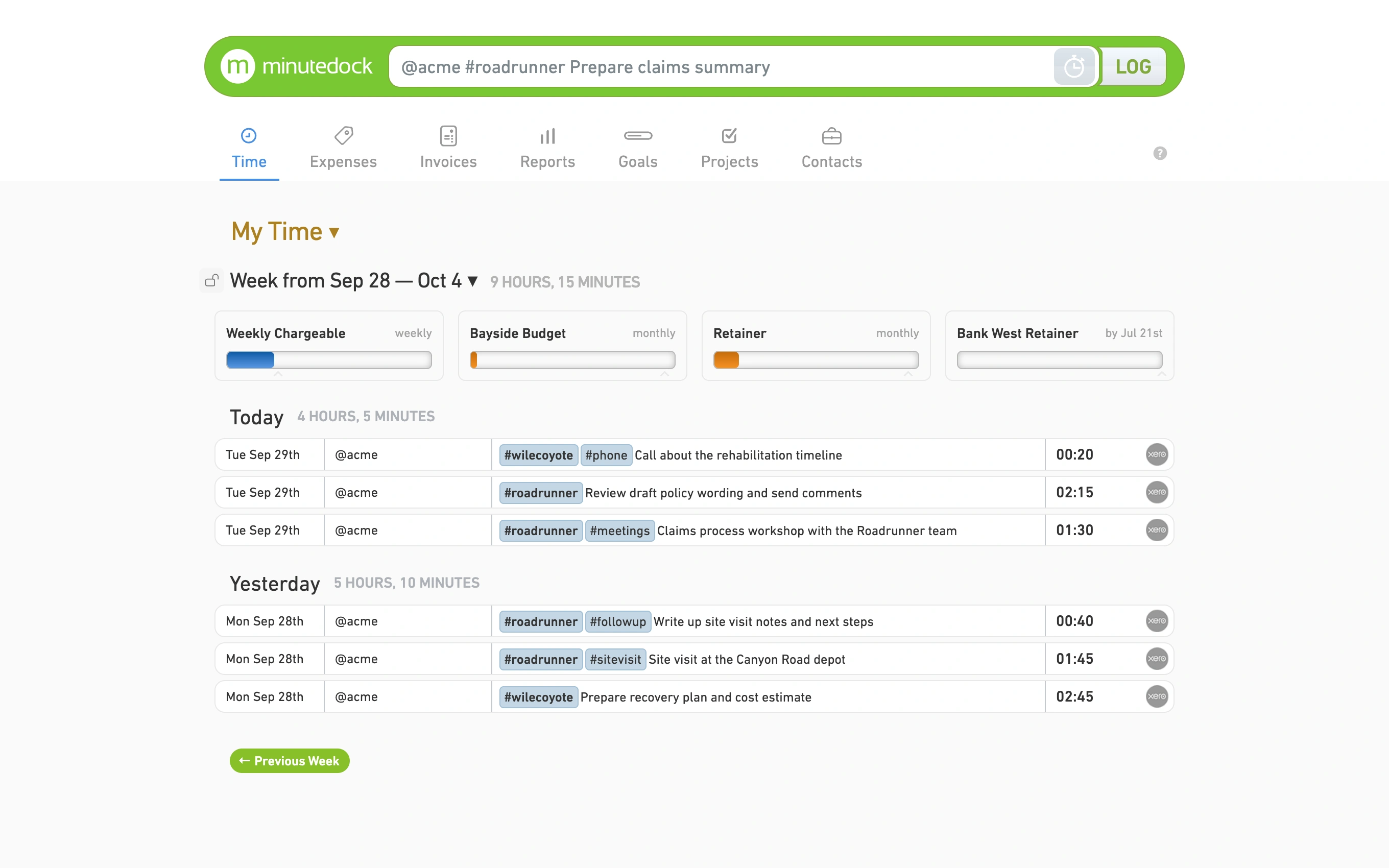
Legal time entries tracked by client, matter, task, and activity
Legal billing notes attached to matter time entries

Write the Billing Note Before the Details Fade

A useful billing note is easier to write straight after the call or email than at the end of the day. MinuteDock keeps the description with the entry, ready for a partner, billing reviewer, or client invoice. Learn more about why law firms track billable hours, from capturing brief calls and emails to understanding matter profitability.

Descriptions with context
Add the detail while the advice, draft, or conversation is still clear.
No calendar archaeology
Use the entry you made at the time instead of piecing the day together from your diary and sent mail.
Find the work you need
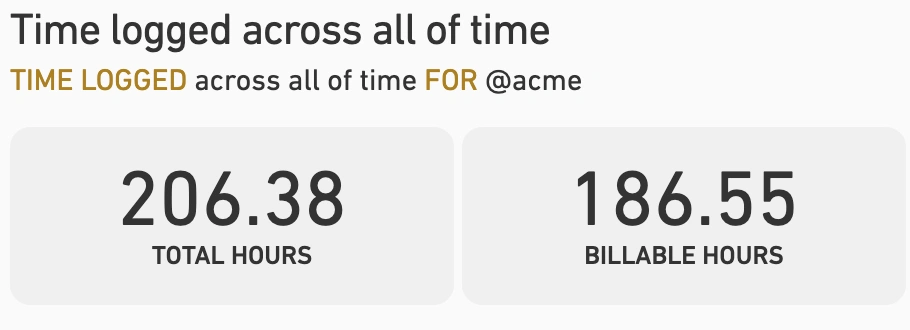
Review work by lawyer, client, matter, task, billable status, or date.
An easier billing review
Give reviewers enough context to approve the entry without chasing an explanation.

Catch a Matter Running Over Before the Invoice

Hourly, fixed-fee, and retainer work all need visibility. Compare the time going into a matter with its budget and billable value while there is still time to act.

The matter budget at a glance
Set budgets for retainers, fixed-fee matters, and client work.
WIP you can see
See billable value building across matters and lawyers.
Spot scope creep early
See when drafting, discovery, or review is taking more time than planned.
The non-billable picture
See the admin and business-development time sitting outside client matters.
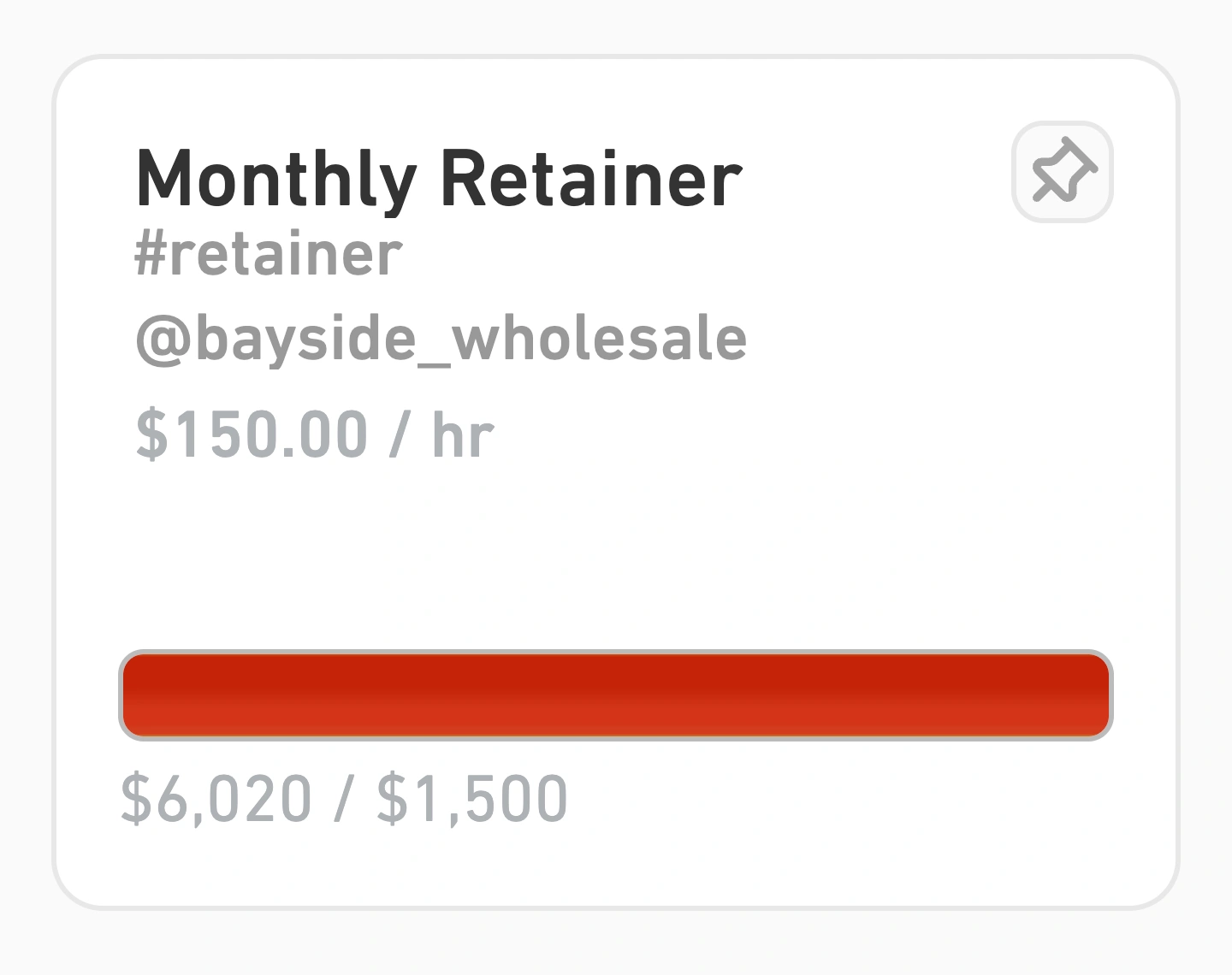
Law firm matter budget and billable value reporting
Approved legal timesheets flowing into invoice lines for accounting software

Legal Timekeeping and Billing, From Entry to Invoice

Review the entries, check the rates and descriptions, then build invoice lines in MinuteDock or send the billing data to your accounting system. No rebuilding the month in a spreadsheet.

Invoice lines your way
Roll up hourly work into invoice lines your way.
Rates where they belong
Apply rates by team member, client, matter, task, or activity.
Accounting details attached
Map tracking categories and ledger codes before billing.
Send it through
Connect with Xero, QuickBooks, FreshBooks, MYOB, or Wave.

Timekeeping Software for Lawyers and Their Teams

Timekeeping only works when people do it. MinuteDock keeps the daily habit quick for lawyers and staff, while owners and managers get the reports they need without chasing another spreadsheet.

One place for the team
Invite lawyers and staff into one shared workspace.
Access without fuss
Control access without adding another layer of admin to the day.
Time from anywhere
Capture time at the office, at court, at home, or between client meetings.
The whole trail together
Keep the time, description, budget, report, and billing detail connected.
Small law firm using time tracking software

Ready to stop rebuilding the day from memory?

Try MinuteDock free for 14 days. Pricing starts from $19 per month.

Send reviewed time to the accounting software you already use

Wave logo

Wave

Track time and invoice clients with Wave. Sync timesheets to Wave and create beautiful invoices, accept online payments, and make accounting easy!

OFFICIAL WAVE PARTNER
Xero logo

Xero

The smart choice for professional services using Xero. Your hours land perfectly formatted, ready to invoice with your Xero branding and settings.

5-STAR RATED OVER 15+ YEARS
QuickBooks logo

QuickBooks

Track time, sync to QuickBooks, invoice clients – done. Works seamlessly with your QuickBooks invoicing and payroll, using all your existing settings.

TRUSTED BY PROFESSIONAL SERVICES
MYOB logo

MYOB

Time tracking that gets how MYOB works. Your hours flow straight through as perfectly formatted and ready-to-go invoices – using your MYOB branding and settings.

KIWI-MADE (FOR AUSSIES TOO)
Freshbooks logo

Freshbooks

The time tracking app for Freshbooks Accounting software. Track timesheets via MinuteDock's web and mobile apps, sync to Freshbooks for billing clients.

Sage Business Cloud logo

Sage Business Cloud

Add time tracking capabilities to Sage Business Cloud. Employee timesheets tracked via MinuteDock's mobile and web apps sync to Sage for billing and payroll.

COMING SOON

Frequently asked questions

Do I need other software to use MinuteDock?

No. MinuteDock works on its own for timekeeping, reports, budgets, and billing. If your firm uses Xero, QuickBooks, FreshBooks, MYOB, or Wave, connect it and send reviewed billing data through instead of entering it twice.

Can I track time from my phone?

Yes. MinuteDock has iPhone and Android apps that sync with your account. Record time after court, between meetings, or anywhere else the work happens. Both apps come with your subscription.

Can I import existing legal time records?

Yes. Send our support team a CSV file at team@minutedock.com and we'll help move the data into MinuteDock.

What should lawyers look for in time tracking software?

Good time tracking software for lawyers needs to be quick enough to use between matters and detailed enough to support billing review. MinuteDock combines fast time capture with descriptions, matter-level reporting, budgets, billable value, and invoicing.

Can I track time by client and matter?

Yes. Track work by client, matter, job, task, activity, lawyer, billable status, and date range. You get the detail needed for reporting and billing without moving the whole practice into a heavyweight management system.

Can MinuteDock handle timekeeping and billing?

Yes. Capture the time, add the billing note, apply the right rate, and review the work before invoicing. You can build the invoice in MinuteDock or send the billing data to your accounting system.

What about fixed-fee, retainer, and hourly matters?

Track hourly matters, fixed-fee work, retainers, internal admin, and non-billable time in MinuteDock. Matter budgets make it easier to see when work is drifting beyond the expected scope.

Which accounting systems can my firm connect?

Xero, QuickBooks, FreshBooks, MYOB, and Wave. Track and review the work in MinuteDock, then send the billing data through for invoicing.

Make the next timesheet easier

Try MinuteDock free