Accounting software integrations
Invoice tracked time in your accounting software
Track client work in MinuteDock, then send invoices to the accounting software you already use. Keep your existing invoice branding and payment process.
Choose your accounting software
Invoice in Xero
Track time against your existing Xero clients, then send their invoices back to Xero for review.
Explore the Xero integrationInvoice in QuickBooks Online
Track time against your existing QuickBooks customers, then send their invoices to QuickBooks Online.
Explore the QuickBooks integrationInvoice in MYOB
Track time against your existing MYOB customers, then send draft invoices to AccountRight or MYOB Business.
Explore the MYOB integrationInvoice in Wave
Track time against your existing Wave customers, then send draft invoices to Wave. Requires a paid Wave subscription.
Explore the Wave integrationInvoice in FreshBooks
Turn your team’s tracked hours into FreshBooks invoices, ready to review and send.
Explore the FreshBooks integrationSend invoices from MinuteDock to your accounting software
Turn tracked hours into invoice lines with your agreed rates and descriptions. Review and send the invoice in your accounting software.
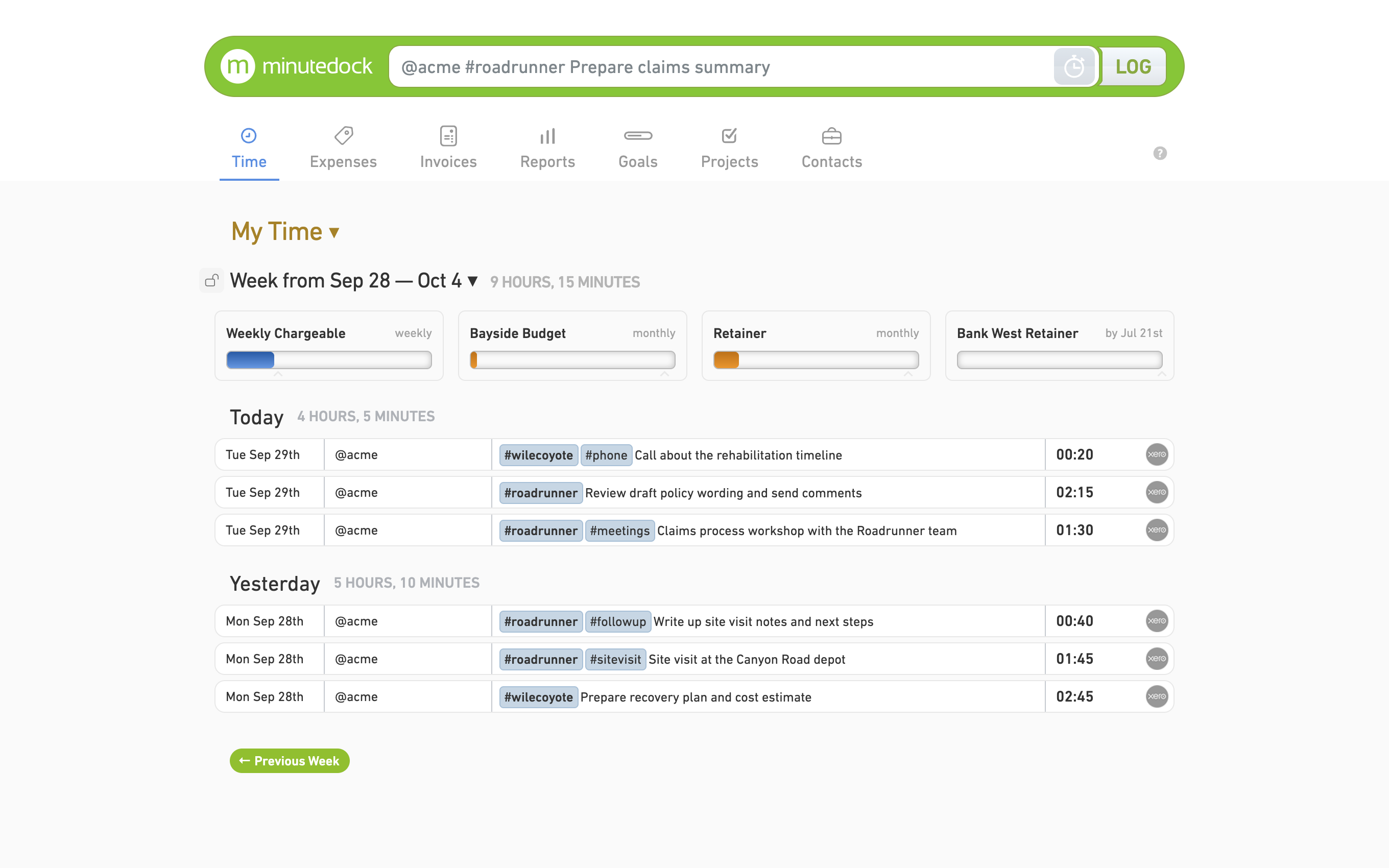
Track client work with the Timer or add hours afterwards.
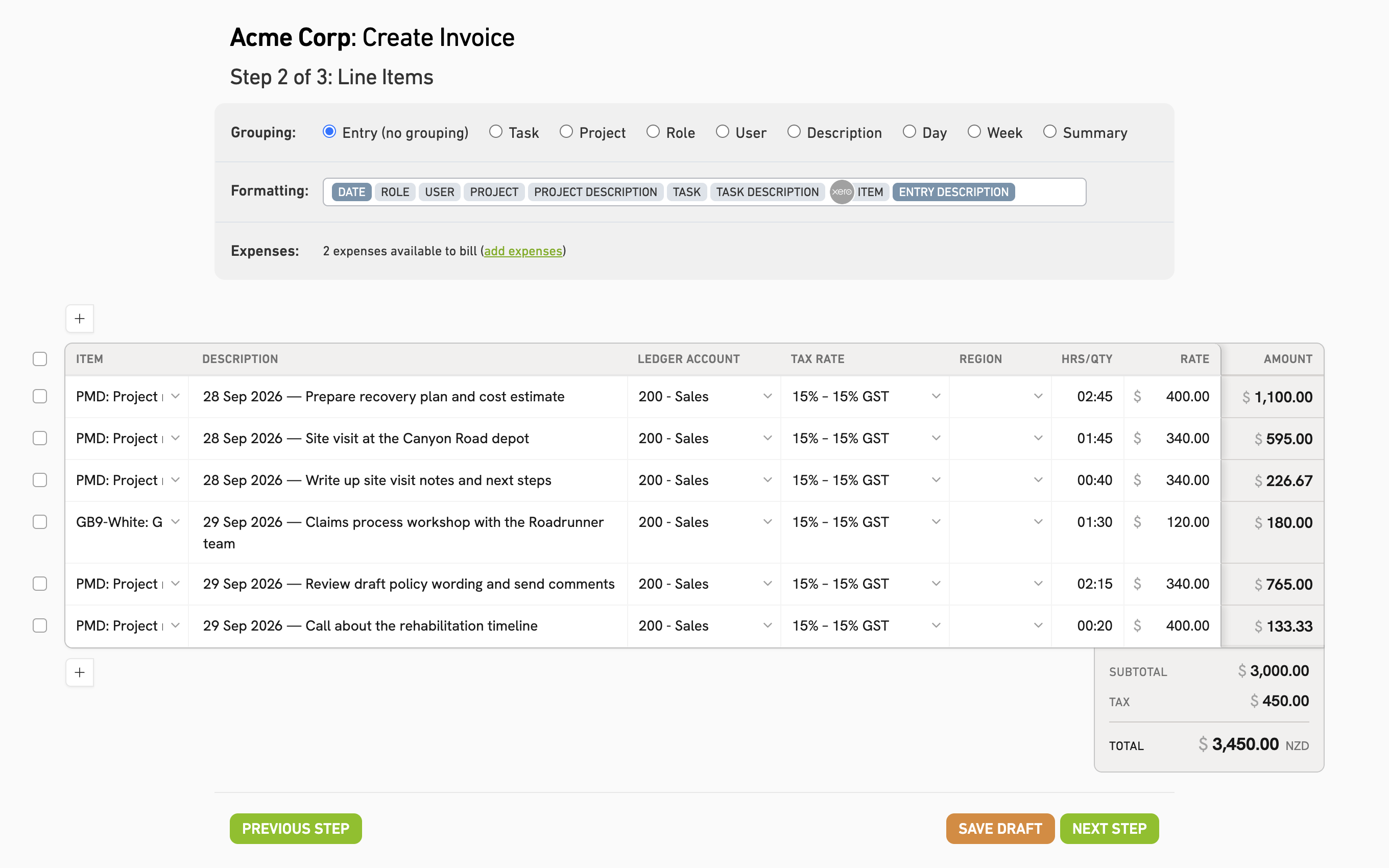
Give each client the detail they need: group time by project, person, task or date, or show individual entries.
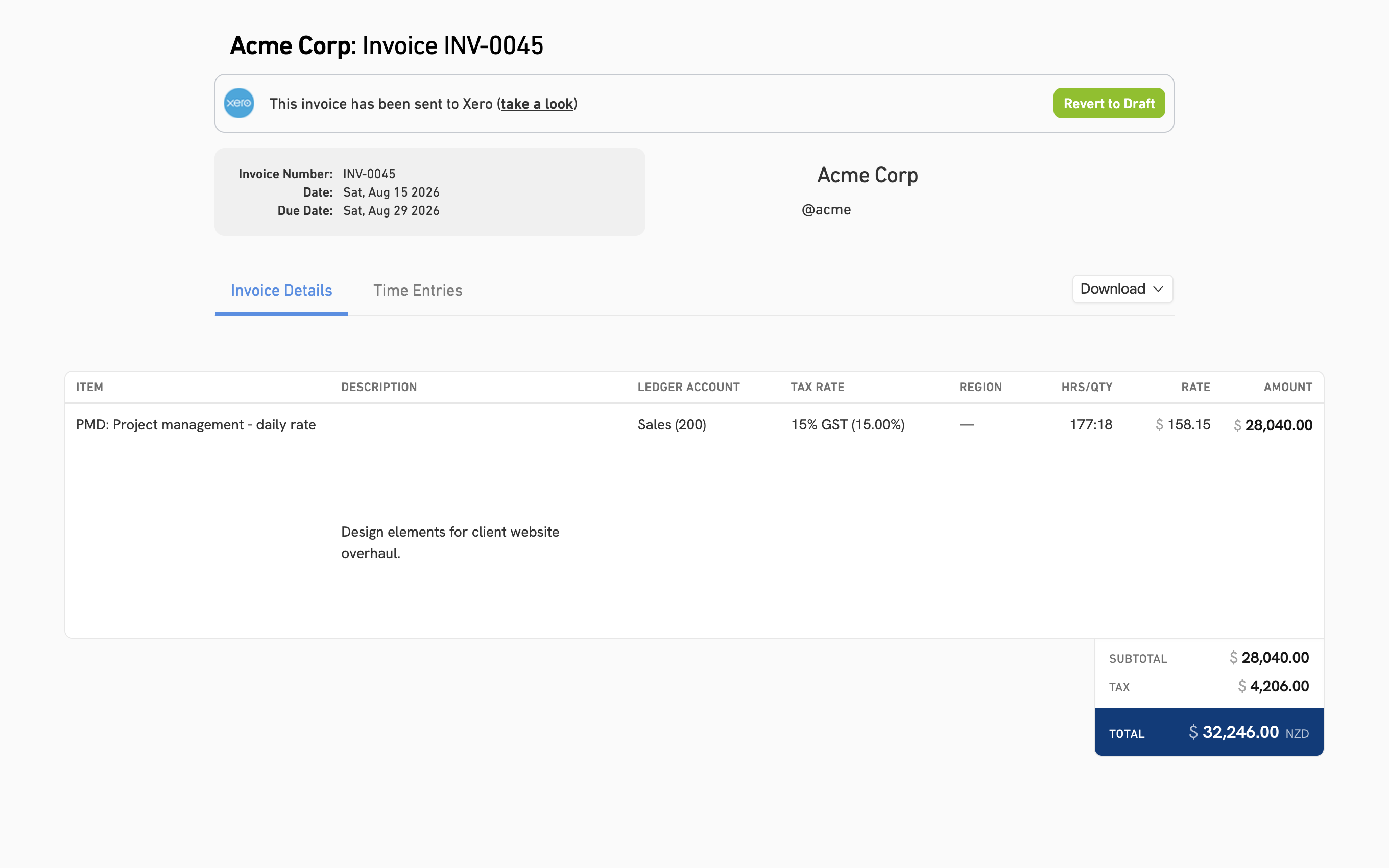
Send the invoice to Xero as a draft. Review it and send it to your client from Xero.
 Shivani GangulyFounder & Principal, Friday Consulting
“When we moved our accounting to Xero, we wanted a solution that integrated with Xero and didn’t require double entry of invoices.”
Questions about accounting integrations
- Which accounting software can I connect?
Xero, QuickBooks Online, MYOB AccountRight, MYOB Business, Wave and FreshBooks Accounting. Wave requires a paid subscription.
- Do I need to enter my clients again?
Your clients import from Xero, QuickBooks Online, MYOB or Wave. Update their details in your accounting software and the changes sync to MinuteDock.
- How do I connect my account?
Select your accounting software in MinuteDock’s Account settings and authorise the connection. You’ll need admin access. Contact us if you need help with setup.
- Can I test the integration during my trial?
Yes. Connect your accounting software and create invoices during your fully functional 14-day trial. See plans and pricing.
Try MinuteDock with your accounting software
Track client work and create your first invoice. Free for 14 days.