Time Tracking and Invoicing Software for Freelancers

Jumping between clients, revisions, and the odd 'quick question'? MinuteDock keeps the hours with the work, so invoice day doesn't start with a hunt through your calendar.

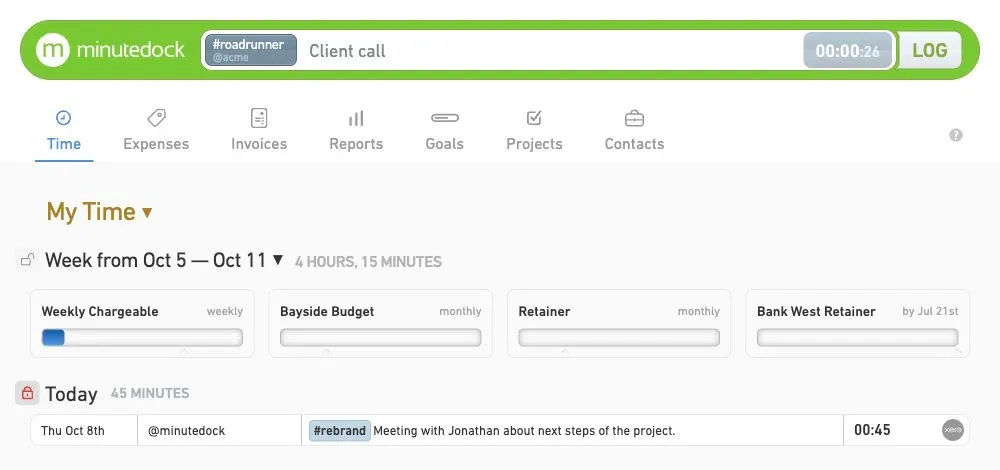
MinuteDock reporting screen showing freelancer time tracking, billable value, client budgets, and a running timer

Send your hours to the accounting tools you already know

Xero logoQuickBooks logoMYOB logoWave logo

Your workday moves fast. Your time records should keep up.

Start the Timer for a client call, switch when a revision lands, and add the note before the details vanish. When it is time to bill, the hours, rates, and context are already there.

Catch the 15 Minutes Between the Big Jobs

A quick client email turns into a 15-minute fix. Then another client calls. MinuteDock makes it easy to switch between them without letting either piece of work disappear from the invoice.

Keep the right name on every hour
Attach each entry to the client, project, task, and activity it belongs to.
Switch without losing your place
Pause one job and pick up another without rebuilding the day from memory later.
Billable or part of running the business
Keep paid client work and non-billable admin together without muddling the two.
Freelance time entries tracked by client, project, task, and activity
Freelance invoice notes attached to billable time entries

Write the Note Now. Thank Yourself on Invoice Day.

Add the useful detail while the work is still fresh: what changed, what you delivered, or why the call ran long. Your invoice will make sense without a late-night dig through calendars and messages.

Say what you actually did
Add a client-friendly description while the details are still in your head.
Skip Friday's memory test
Stop reconstructing a week's worth of billable hours in one sitting.
Find the work you need
Filter entries by client, project, task, billable status, or date.
Give clients a useful breakdown
Back up each invoice with organized, readable time records.

Know When a Fixed-Fee Job Is Eating the Budget

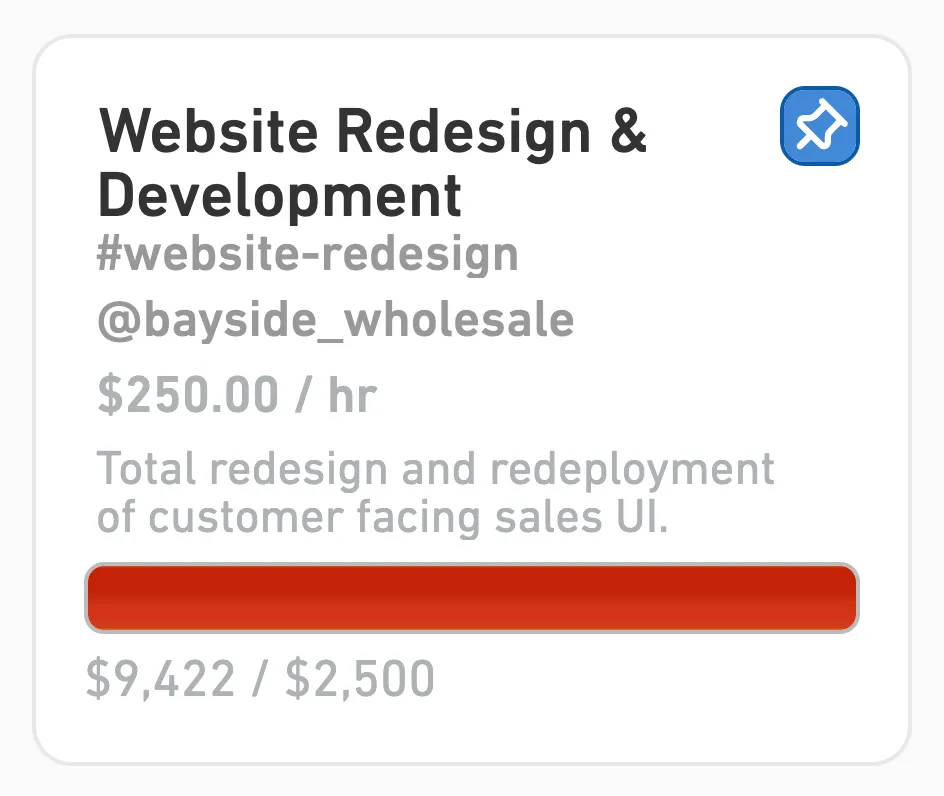
Hourly job, monthly retainer, or fixed-fee package: you can see the time and billable value building before quiet scope creep eats into your margin.

Keep retainers honest
Set a budget for a retainer, monthly package, or one-off project.
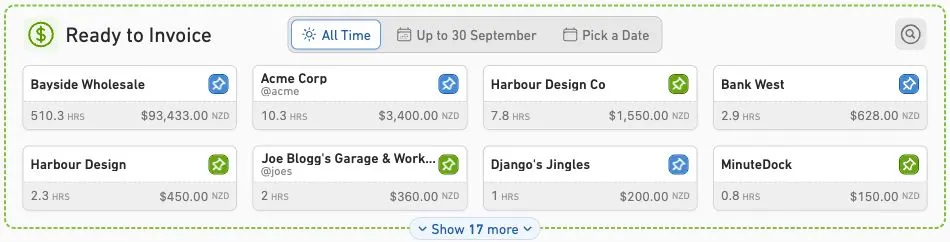
See what's waiting to be billed
Check work in progress and billable value across your active jobs.
Catch the quiet scope creep
Spot a job taking longer than planned while there is still time to act.
Quote the next job with evidence
Use real time records instead of guesswork when you price similar work.
Freelance client budget and billable value reporting
Tracked freelance time grouped into invoice lines for accounting software

Turn Tracked Time Into an Invoice Without Re-entering It

Review the work, choose how to group it, apply the right rates, and create the bill in MinuteDock or send it to the accounting system you already use. No copying the same numbers twice.

Group time your way
Turn detailed entries into invoice lines that suit the job and the client.
Use the rate that fits the work
Apply rates by client, project, task, activity, or person.
Send the numbers where they belong
Map tracking categories and ledger codes before you send the bill.
Leave double entry behind
Connect with Xero, QuickBooks, FreshBooks, MYOB, or Wave.

Built for One Pair of Hands. Ready for a Few More.

The best time tracker is the one you keep using. MinuteDock stays quick when it is just you, with enough structure to bring in a contractor or collaborator when a bigger project lands.

No project-management detour
Track work without adopting a heavyweight system just to run a timer.
Bring in a collaborator
Invite contractors or teammates when the work grows beyond one person.
Track wherever work happens
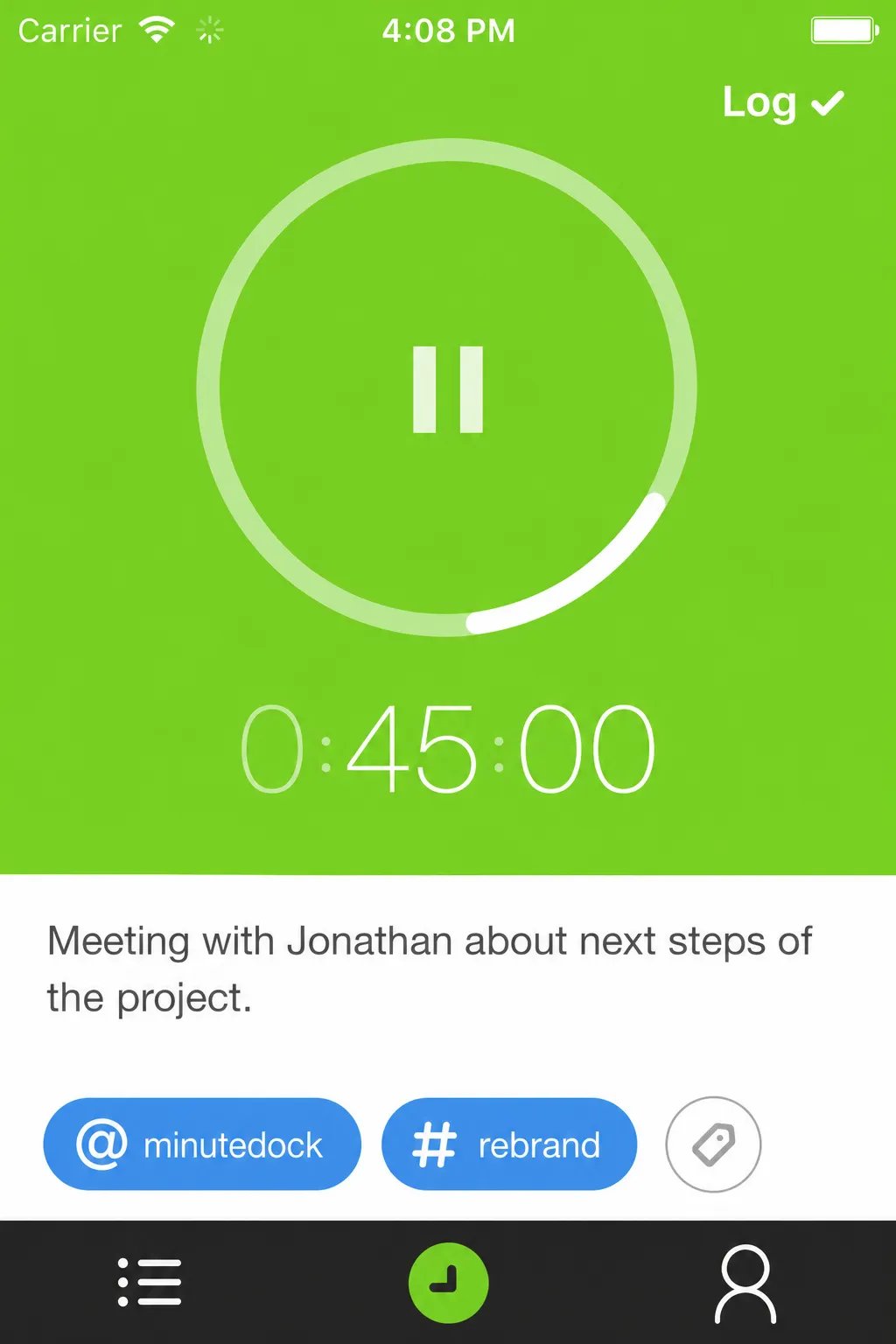
Capture time at your desk, at a client site, or between meetings.
Keep the whole job connected
Keep notes, budgets, reports, and invoicing in the same flow.
Freelancer using time tracking software for client work

How much billable time slipped past last week?

Try MinuteDock free for 14 days. Pricing starts from $19 per month.

Connect to your accounting software to streamline your workflow

Wave logo

Wave

Track time and invoice clients with Wave. Sync timesheets to Wave and create beautiful invoices, accept online payments, and make accounting easy!

OFFICIAL WAVE PARTNER
Xero logo

Xero

The smart choice for professional services using Xero. Your hours land perfectly formatted, ready to invoice with your Xero branding and settings.

5-STAR RATED OVER 15+ YEARS
QuickBooks logo

QuickBooks

Track time, sync to QuickBooks, invoice clients – done. Works seamlessly with your QuickBooks invoicing and payroll, using all your existing settings.

TRUSTED BY PROFESSIONAL SERVICES
MYOB logo

MYOB

Time tracking that gets how MYOB works. Your hours flow straight through as perfectly formatted and ready-to-go invoices – using your MYOB branding and settings.

KIWI-MADE (FOR AUSSIES TOO)
Freshbooks logo

Freshbooks

The time tracking app for Freshbooks Accounting software. Track timesheets via MinuteDock's web and mobile apps, sync to Freshbooks for billing clients.

Sage Business Cloud logo

Sage Business Cloud

Add time tracking capabilities to Sage Business Cloud. Employee timesheets tracked via MinuteDock's mobile and web apps sync to Sage for billing and payroll.

COMING SOON

Frequently asked questions

Can I use MinuteDock without accounting software?

Absolutely. MinuteDock works on its own, so an integration is optional. If you already use Xero, QuickBooks, FreshBooks, MYOB, or Wave, you can connect it and avoid entering the same billing details twice.

Can I track time from my phone?

You can. MinuteDock's iPhone and Android apps sync directly with your account, and both are included with your subscription.

Can I bring over time from another app or spreadsheet?

Drop our customer support team a line at team@minutedock.com. Send us a CSV file containing the data you want to import, and we'll help get everything set up.

What is the best time tracking software for freelancers?

Look for something quick enough to use between jobs, but detailed enough to show where the hours and budget went. MinuteDock combines fast time capture with client, project, task, budget, and billing reports.

Can MinuteDock handle both time tracking and invoicing?

It can. Track work by client, project, task, activity, billable status, and date, then turn approved hours into clear invoice lines or send them to the accounting system you already use.

What about non-billable work?

Track it too. Admin, sales calls, proposals, planning, and revisions all take time, even when they do not appear on an invoice. Keeping them visible gives you a truer picture of what each job costs you.

Can I create an invoice from tracked time?

Review the hours, apply the right rates, and roll the work into invoice lines that make sense to your client. Keep billing inside MinuteDock or connect Xero, QuickBooks, FreshBooks, MYOB, or Wave.

Will it help with fixed-fee projects and retainers?

Yes. Track time against fixed-fee jobs, retainers, monthly packages, and project budgets. You will see whether the work is staying profitable even when the invoice is not based on hours.

Ready to stop rebuilding your week?

Try MinuteDock free