For solicitors and small law firms
Time tracking software for lawyers
Track time by matter and get your bills out sooner.
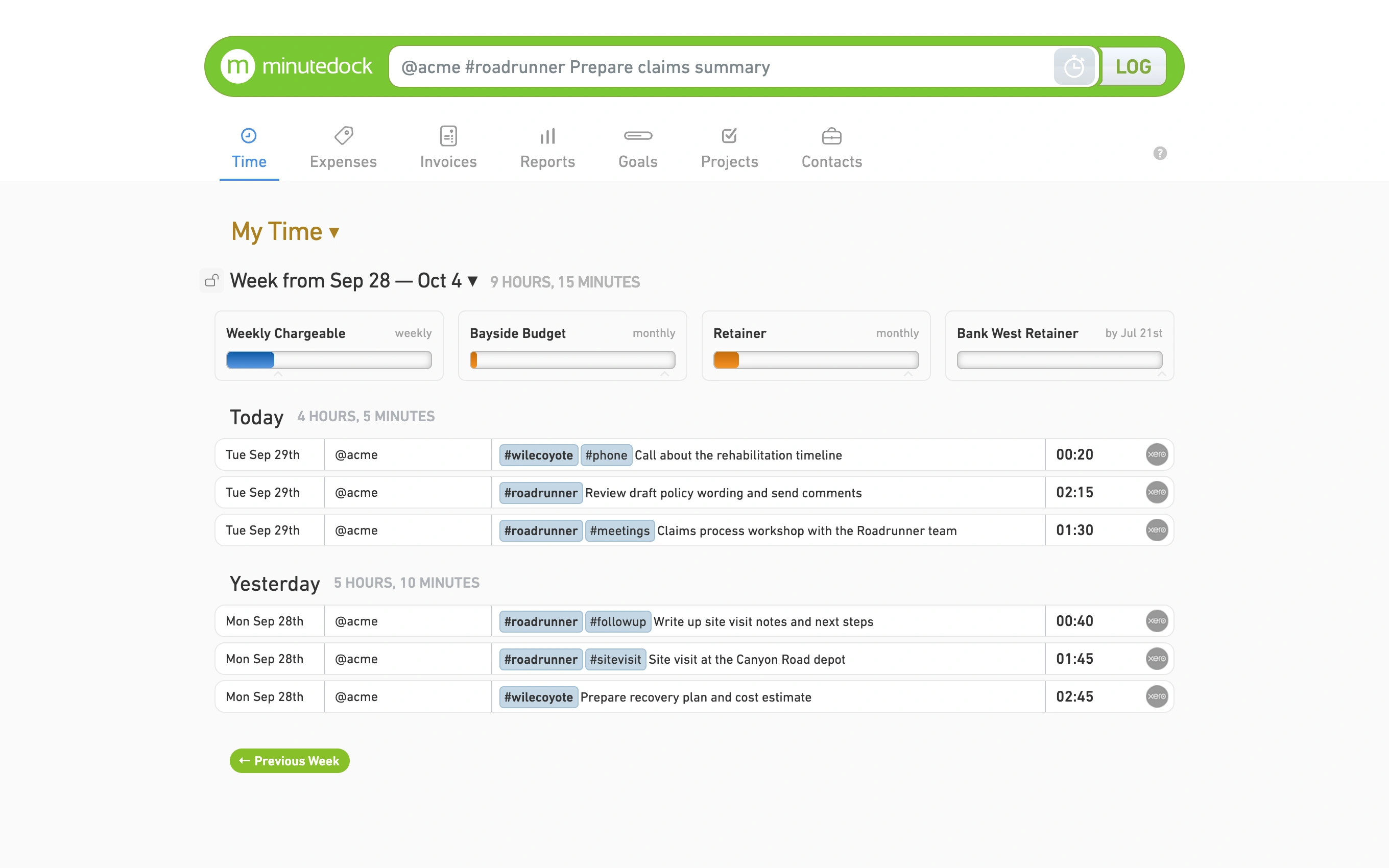
Log a call or a morning of drafting in moments. Your hours and notes are there when it’s time to bill.
Keep using your accounting software for billing
Log the work before you forget it
A quick call between meetings is easy to miss on a timesheet. Add it to the right matter while the details are still fresh.
Include the short calls, too
Start a timer or add the time afterwards. Interrupted? Pick up where you left off, with the client, matter and notes already filled in.
Keep useful billing notes
Jot down what you advised, drafted or discussed. Partners can check the work, and clients can see what they’re being billed for.
See everyone’s time on a matter
Bring the team’s hours together and see how much is still unbilled. Filter by person, client, matter, task, billable status or date.
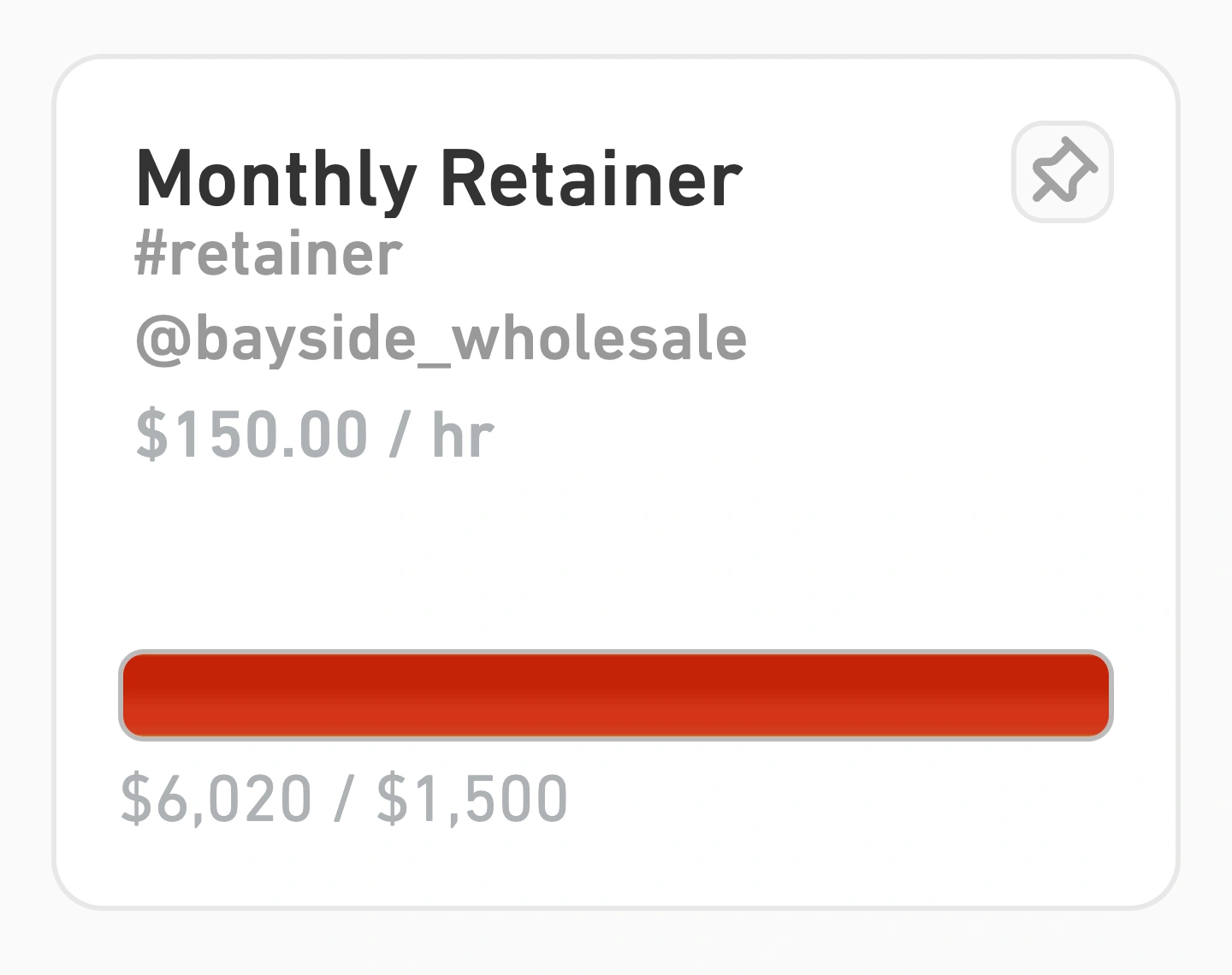
Know when a matter is running over budget
Set a budget for fixed-fee work or a retainer. If research or revisions take longer than expected, you’ll see how much of the allowance they’ve used.
Check how long similar work took before quoting your next fee.
Spend less time on billing
Choose unbilled hours and build an invoice with your rates and billing notes.
Send a draft to your accounting software, then approve and send it there.

Make more room for billable work
A full diary doesn’t always mean a billable week. Compare your total and billable hours to see how much time is going into admin and other non-billable work.
Break the figures down by person, client or matter before deciding what to delegate or change.

Keep the team’s time in one place
Everyone has their own login. You choose who can access each client, view rates or manage invoices.
Log time between appointments
The iPhone and Android apps sync with your account, so you can log time after court or a client visit.
Review timesheets before billing
Want a partner to sign off the hours? Ask us to switch on Timesheet Approval, available on every plan.
Questions from law firms
- Can I track time by client and matter?
Yes. Use a Project for each matter and keep its time and notes with the right client. Track hourly work, fixed-fee matters and retainers alongside admin and non-billable time.
- Do I need other software to use MinuteDock?
No. You can use MinuteDock on its own for time tracking, reports, budgets and billing. Connect Xero, QuickBooks, MYOB or Wave to send invoices across as drafts, then approve and send them there.
- Can I track time from my phone?
Yes. Both the iPhone and Android apps are included in your subscription. Anything you log syncs with your account, so it’s there when you’re back at your desk.
- Can I bring my existing timesheets across?
Send your time records as a CSV to team@minutedock.com and we’ll help import them.
- What should I look for in time tracking software?
Look for something that’s quick to use day to day, keeps clear notes, and supports your rates and matter budgets. Our time and billing software guide for small law firms compares time tracking, legal billing and practice-management tools.
- Do I need a higher plan for more features?
No. Every plan includes every feature. You pay for the number of people using MinuteDock, with no extra fees for clients, matters, tasks, invoices or the amount you bill. Compare plans.
Spend less time on timesheets
Track calls, drafting and meetings in moments, then build invoices from the hours, notes and rates you’ve recorded.
Plans from $19 per month. Unlimited clients and matters. Cancel any time.