Time tracking for growing client work
A Harvest alternative without usage charges
Track client time, see what's unbilled, and invoice through your accounting software. Unlimited clients, projects and invoices included.
- 14-day free trial (no credit card required)
- Human migration help — email team@minutedock.com
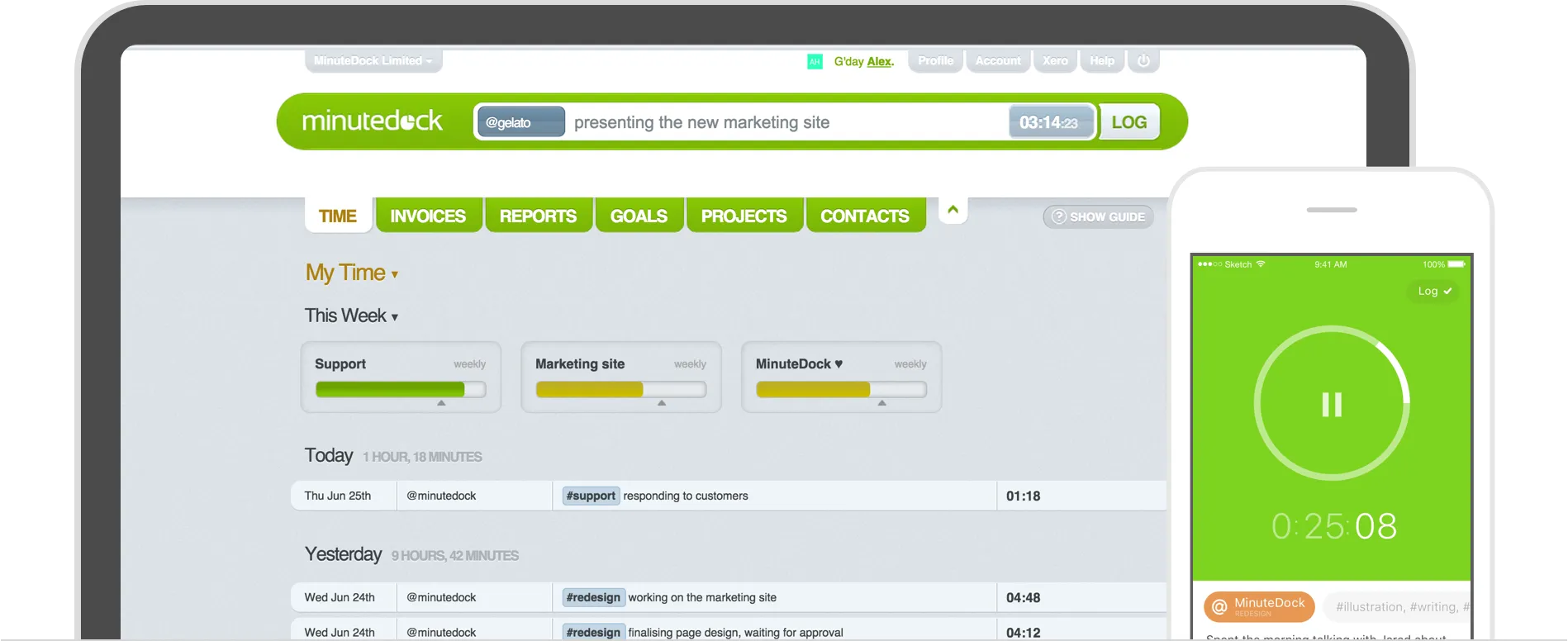
Build invoices from your hours. Send them through your accounting software.
Your software bill shouldn't grow just because your client list did
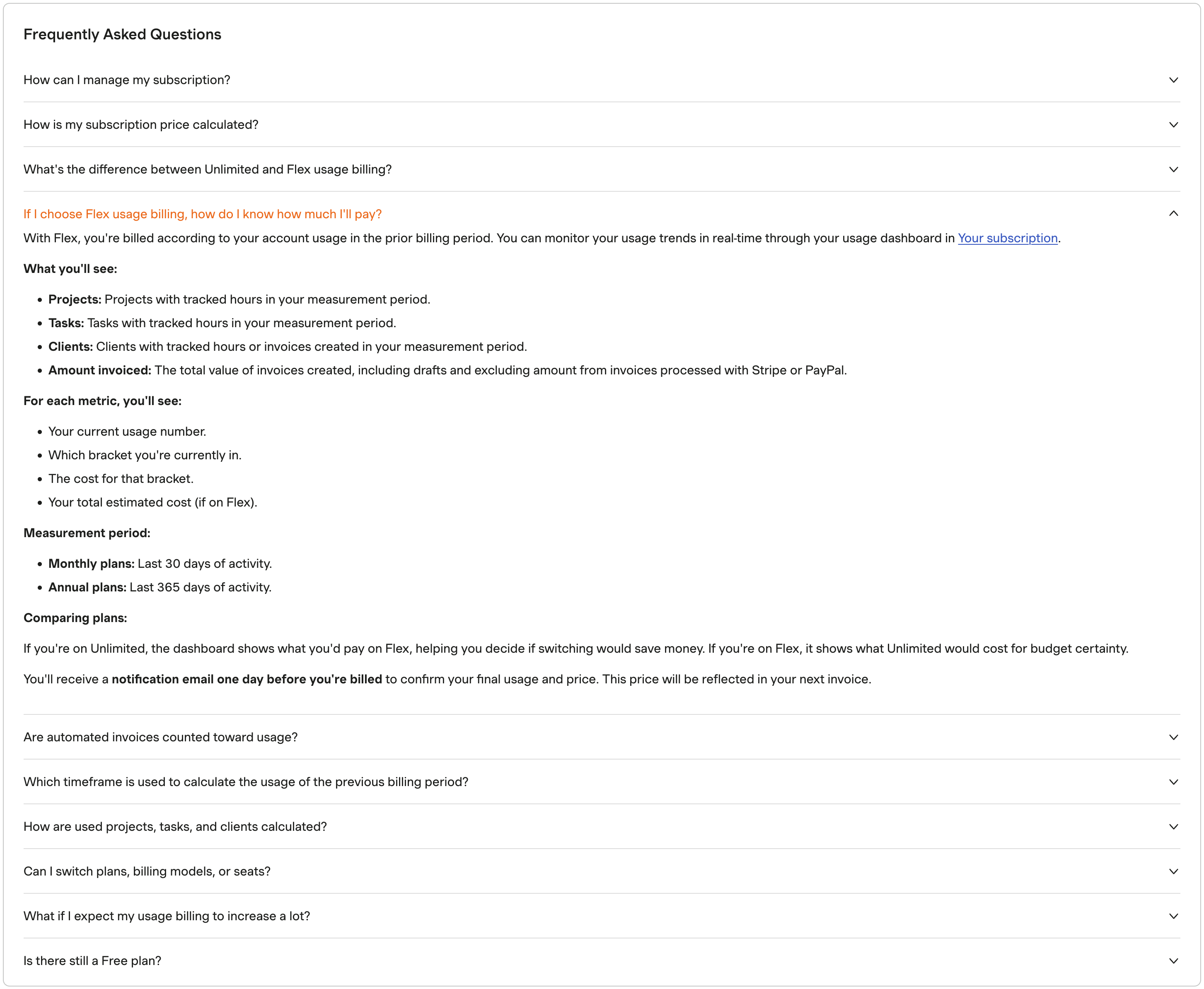
Unlimited clients, projects, tasks and invoices on every plan. For the same team and plan, more client work won't change your price.
Growing client work, with the same team and plan →
Five users. US$49/month.
MinuteDock's Small Team plan includes all features. Billed monthly, with extra users at US$9/month each.
Harvest Flex adds usage charges above allowances for active clients, projects, tasks and invoice value. That's the amount invoiced, not the invoice count. Harvest also offers Unlimited billing with a fixed usage fee.
Compare costs for your team and workload.
Sources: Harvest pricing and billing guide (checked 5 October 2026), plus Harvest's usage definitions captured 28 September 2026. Invoice value includes drafts and excludes invoices processed through Stripe or PayPal. Existing Harvest accounts may have legacy pricing.
Log client time in one line
Type the client, task and time in one line. Run a timer, add time afterwards, or resume a previous task with a click.
Explore time tracking →
“It is really easy to record a time entry without having to use the mouse.”
Turn tracked hours into invoices
See the value of unbilled work by client, then build invoices from those hours. With Xero, use your existing client list, invoice branding and accounting settings. No retyping time entries.
Explore billing and invoicing →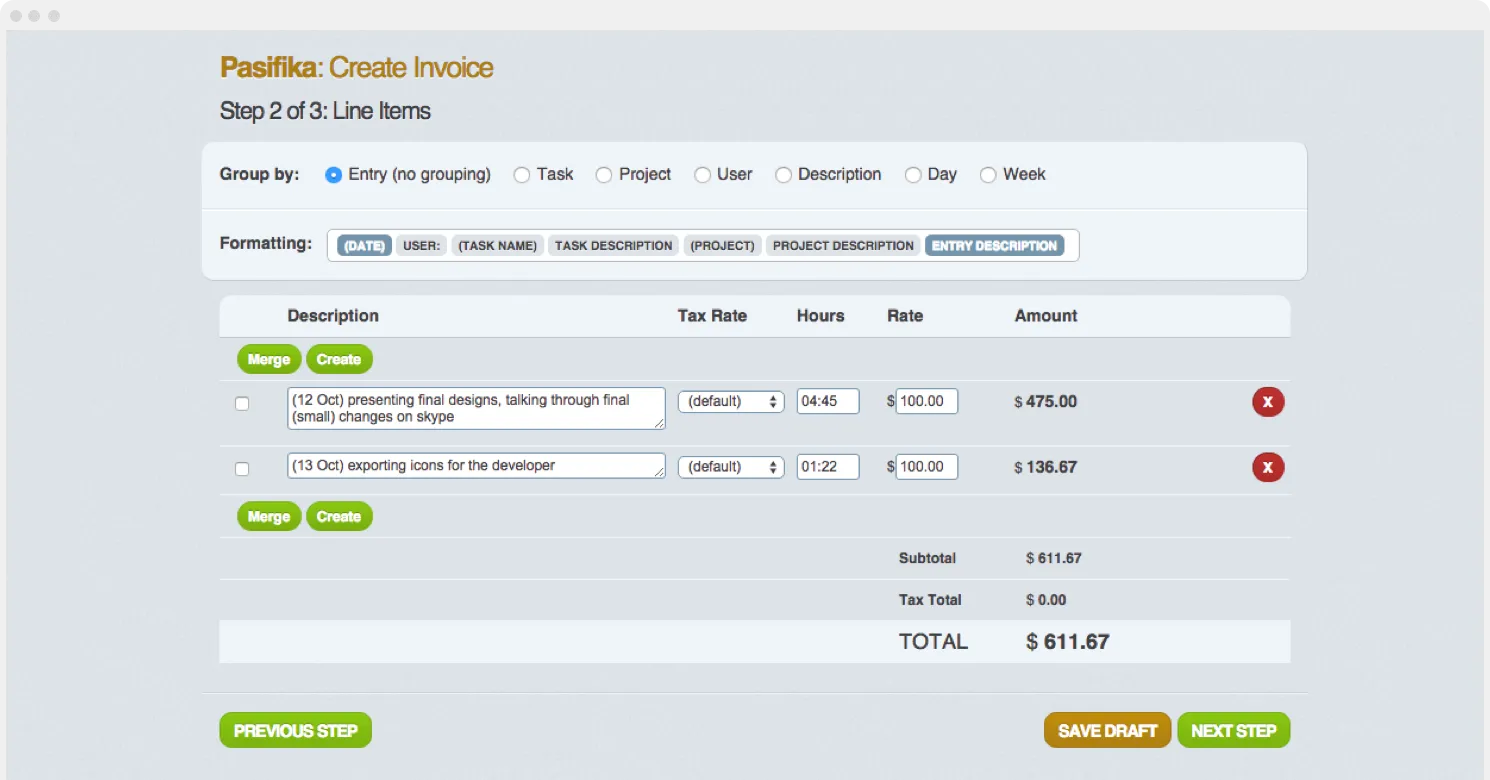
Keep projects and retainers on budget
See hours used and remaining on retainers. Track fixed-fee work against your budget to spot overruns and price the next job accurately.
Explore budgets and retainers →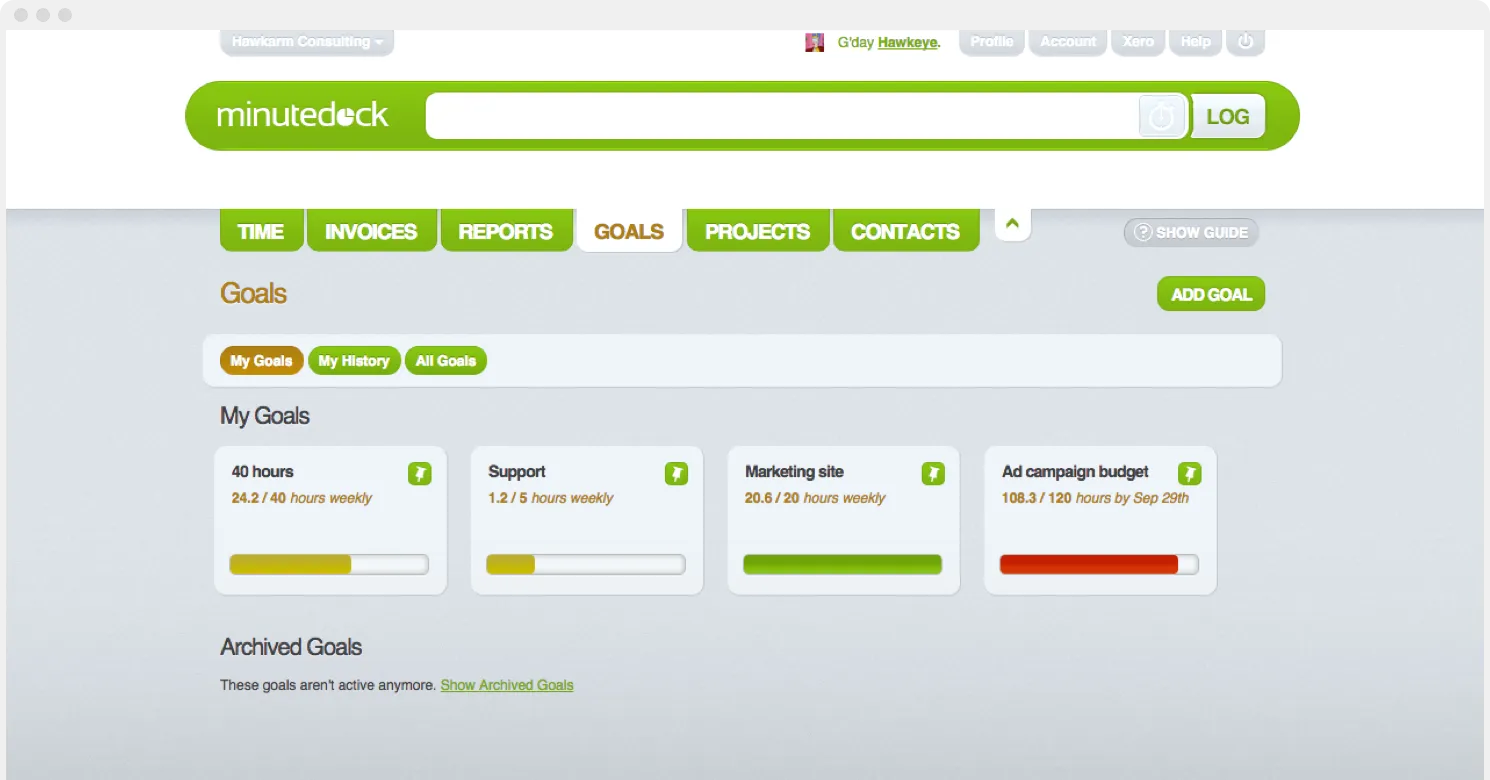
Hourly work, monthly retainers, fixed-fee packages
- For virtual assistants
- Track every client's hours and bill recurring work, without paying more per client.
- For bookkeepers and accountants
- Check the hours behind fixed-fee packages. Turn advisory and clean-up work into invoices.
- For solo legal professionals
- Track time by matter, review unbilled work, and send itemised invoices through your accounting software.
- For consultants and small teams
- Track hourly and fixed-fee work. Check the remaining retainer before taking on extra requests.
14 days free. No credit card required.
MinuteDock vs Harvest for service businesses
| Feature | MinuteDock | Harvest |
|---|---|---|
| Subscription | MinuteDockPlans include users, with a published extra-user rate. | HarvestPer-seat pricing plus Flex usage charges, or Unlimited billing with a fixed usage fee. |
| Growing client work | MinuteDockUnlimited clients, projects, tasks and invoices. No charge by invoice value. | HarvestFlex charges apply above allowances for active clients, projects, tasks and amount invoiced. |
| Feature access | MinuteDockAll features included on every plan. | HarvestProfitability reporting and timesheet approvals require Enterprise. |
| Building invoices | MinuteDockChoose unbilled hours, arrange the invoice lines, and send the invoice through your accounting software. | HarvestCreate and send invoices in Harvest; copy invoices to Xero or QuickBooks Online. |
| Accounting integrations | MinuteDockXero, QuickBooks Online, MYOB, FreshBooks and Wave. | HarvestXero and QuickBooks Online. |
Accounting and billing support
| Feature | MinuteDock | Harvest |
|---|---|---|
| Xero | Yes | Yes |
| MYOB | Yes | No |
| QuickBooks Online | Yes | Yes: Paid plans |
| Wave | Yes | No |
| Sends invoices to accounting | Yes: Drafts in Xero or QuickBooks | Yes: Copies invoices, optionally payments |
| Uses your accounting invoice branding | Yes | No: Clients get the Harvest invoice |
| Codes lines to your ledger accounts | Yes: By Contact, Project or Task | Yes: By item type or client |
| Tracking categories / classes | Yes: Xero and QuickBooks Online | Yes, with conditions: Xero only, by client |
| Client list comes from accounting | Yes: Syncs automatically | No: Kept in Harvest |
| Marks time as invoiced | Yes | Yes: Uninvoiced report |
Keep comparing the workflows
Try MinuteDock before you migrate
Invite your team and try one client during your free trial. Ready to switch? We'll help move your Harvest data.
- 1
Choose one current client
Track a few days of calls, meetings and client work.
- 2
Try your usual billing routine
Check unbilled time and budgets, then build an invoice.
- 3
Plan the move with us
Send us your Harvest export. We'll help map clients, projects, tasks and time entries.
Questions about switching from Harvest
- Is MinuteDock a good Harvest alternative for a small team?
Yes. Track client time, see unbilled work and build invoices through your accounting software. Every plan includes all features, plus unlimited clients and projects.
- Can I build invoices from my tracked hours?
Yes. Set rates by client, project, task or team member, then turn unbilled hours into invoices. MinuteDock remembers your invoice layout choices for next time. Finalise and send through Xero, QuickBooks, MYOB, FreshBooks or Wave.
- How do I compare the cost with Harvest?
MinuteDock charges by plan and users, with unlimited usage. Harvest adds Flex usage charges or an Unlimited fixed usage fee to its seat price. Use our Harvest price calculator to compare Flex costs for your team and workload.
- Does MinuteDock work for fixed-fee packages and retainers?
Track fixed-fee work against your time budget. Set recurring hourly budgets for retainers to see time used and remaining.
- Can you help move my Harvest data?
We'll help map clients, projects, tasks and time entries from your Harvest export. It's a supported migration, not an automated importer. Ask us about switching.
- What should I try during the free trial?
Invite your team, track a real client's work, and build an invoice through your accounting software. You get 14 days free, with no credit card required. Paid plans have no setup fees; cancel anytime.
Start your 14-day free trial
Track real client work, check your budget, and build an invoice. No credit card required.