Decimal precision and invoice totals
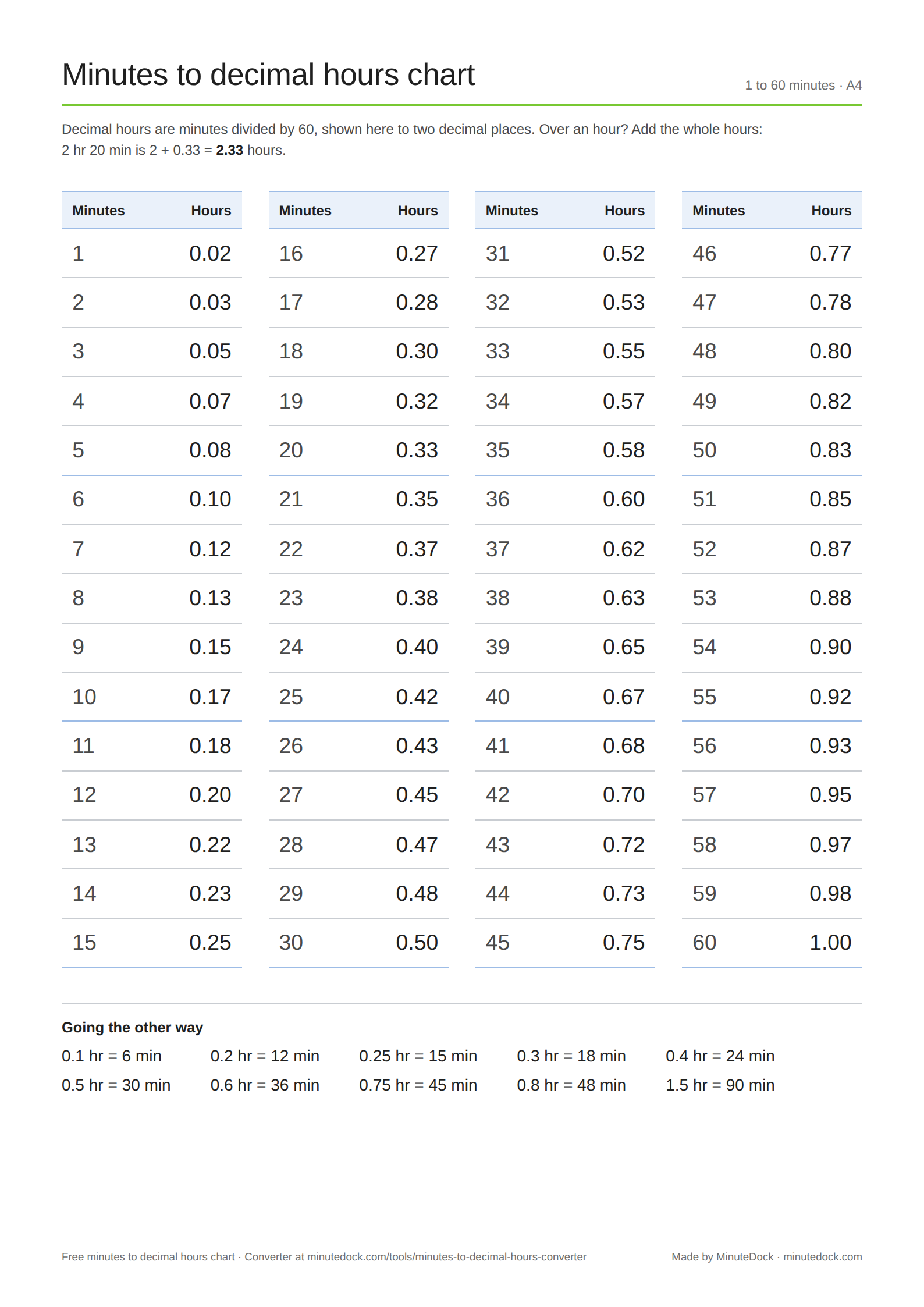
Seven minutes is 0.11666… hours, displayed as 0.12. At $300 an hour, the exact duration costs $35; using 0.12 hours gives $36. Calculate from the original duration and round the final charge.
Billing increments change the time billed. Seven minutes rounded up to a six-minute increment becomes 12 minutes, or 0.2 hours. Use the billing increment chart for one entry or the billable hours calculator for several. For policy examples, see billing increments explained.
Decimal hours in Excel and Google Sheets
| Starting value | Formula | Result |
|---|---|---|
Duration in A1, such as 1:45 | =A1*24 | 1.75 hours |
Total minutes in A1, such as 105 | =A1/60 | 1.75 hours |
| Whole hours in A1, minutes in B1 | =A1+B1/60 | Decimal hours |
Decimal hours in A1, such as 1.75 | =A1/24 | Duration: 1:45 |
Format decimal results as numbers. For durations, use [h]:mm so totals of 24 hours or more display correctly.
The duration formulas need a spreadsheet time value, not text that looks like 1:45. Number formatting changes the display; ROUND changes the value used in calculations.
Converting decimal hours back to minutes
Multiply by 60: 0.25 hours is 15 minutes; 0.12 hours is 7 minutes 12 seconds. 1.30 decimal hours is 1 hour 18 minutes, while 1:30 is 1 hour 30 minutes.
The reverse converter rounds to the nearest second. If the decimal was already rounded, it cannot recover the original duration exactly.
Once your quantities are checked, see how to present hours worked on an invoice. The worked example compares itemised and grouped lines, with different hourly rates kept separate.