Simple time tracking and invoicing
A Hubstaff alternative for teams you trust
Track time easily, keep projects on budget and invoice through your accounting software. No screenshots or activity scores.
- 14 days free. No credit card required.
- Every feature included on every plan.
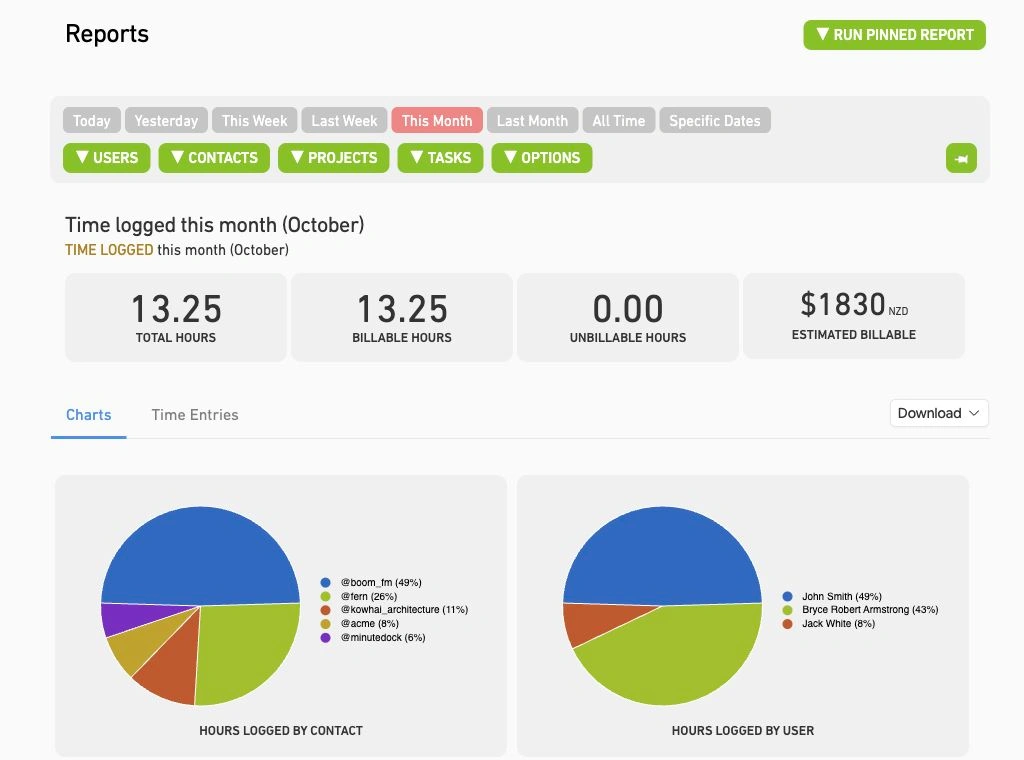
Invoice through your accounting software.
Log client time in one line
Add the client, task and a quick note. Start a timer or enter time afterwards, so even a five-minute call makes it onto the timesheet.
Explore time tracking →
Turn unbilled hours into invoices
Build invoices from your hours, rates and notes, grouped the way each client needs. MinuteDock remembers the layout for next time. Approve and send in your accounting software, without retyping.
Explore billing and invoicing →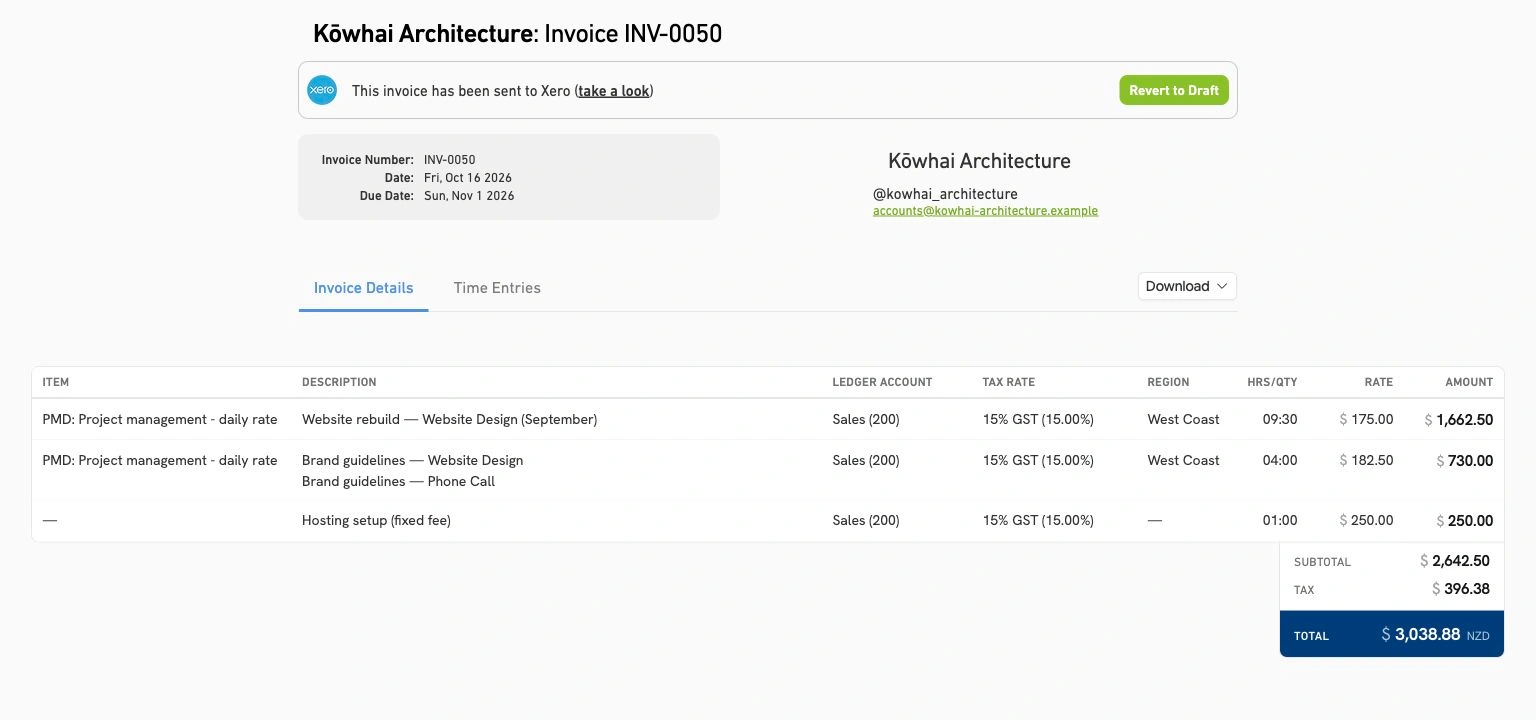
Keep projects and retainers on budget
See hours used and remaining before agreeing to extra work. Compare fixed-fee projects with actual hours to price the next job accurately.
Explore budgets and retainers →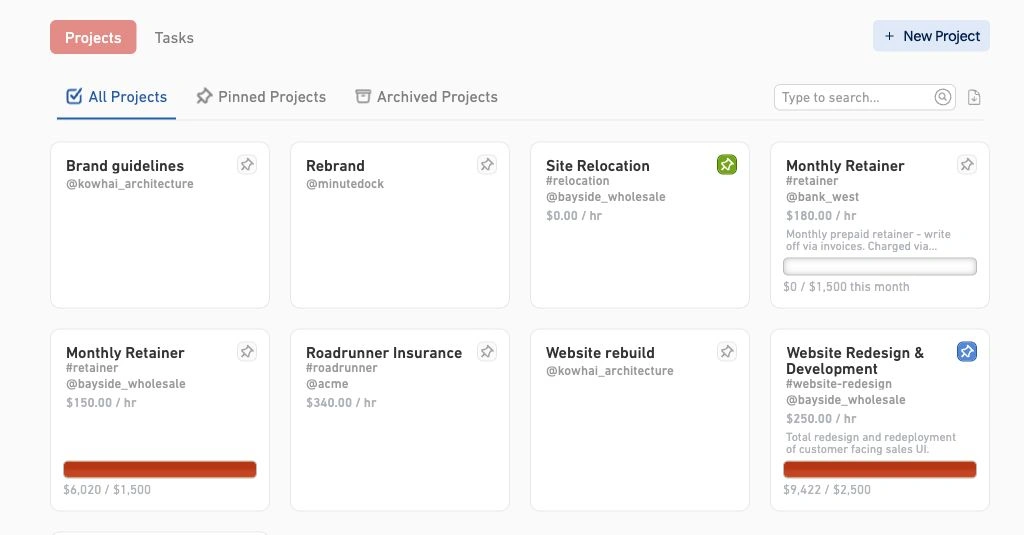
MinuteDock vs Hubstaff for client work
| Feature | MinuteDock | Hubstaff |
|---|---|---|
| Tracking client work | MinuteDockTimer or manual entries by client, project and task. | HubstaffTimer or manual entries by project and task. |
| Screenshots and activity tracking | MinuteDockNo screenshots, app monitoring or keyboard and mouse activity scores. | HubstaffOptional screenshots; configurable keyboard/mouse activity and app/URL tracking. |
| Budgets | MinuteDockBudgets for hours or billable value, including recurring retainers. | HubstaffProject budgets, time limits and cost tracking. |
| Client invoicing | MinuteDockDraft invoices in Xero, QuickBooks, MYOB, FreshBooks or Wave. | HubstaffInvoices from tracked time, sent from Hubstaff. |
| QuickBooks Online connection | MinuteDockDraft invoices with line items and rates. | HubstaffTime sync for payroll and reporting; no invoice sync. |
Sources: How Hubstaff works, Hubstaff time tracking and invoicing, and QuickBooks integration guide. Comparison checked 19 October 2026.
Questions about switching from Hubstaff
- What if someone forgets to start a timer?
Add the time afterwards with the client, task, duration and date. Your team can log work as they go or catch up at the end of the day.
- Can I still see what my remote team is working on?
See hours and billable value by person, client, project or task, with notes explaining the work. For a live view, ask us to switch on the Real-time Team Dashboard. It's included on every plan.
- Can I control what each team member sees?
Yes. Choose which clients each person can access and whether they can see other people's time, rates and invoices. Explore team permissions.
- Can managers approve timesheets before billing?
Yes. Ask us to switch on Timesheet Approval so managers can review hours before they're billed. It's included on every plan.
- Do I need a higher plan for budgets or invoicing?
No. Every plan includes every feature. You pay by team size, with unlimited clients, projects, tasks and invoices, and no fees on invoice value. Compare plans.
- How should I start the move from Hubstaff?
Try one client's work during your free trial. We'll help you get set up. Talk to us about your setup and existing records.
Try MinuteDock with your next client
Track time and build your first invoice. 14 days free, no credit card required.