WorkflowMax alternative
A simpler WorkflowMax alternative for time tracking and invoicing
If WorkflowMax feels heavier than the job, make daily time tracking easy with MinuteDock. See what's still unbilled, keep an eye on budgets and turn your team's hours into invoices in the accounting software you already use.
14 days free. No credit card required. We'll help you get set up.
- Get that client call on the timesheet
- Start a timer or add time afterwards, with client notes to make billing easier.
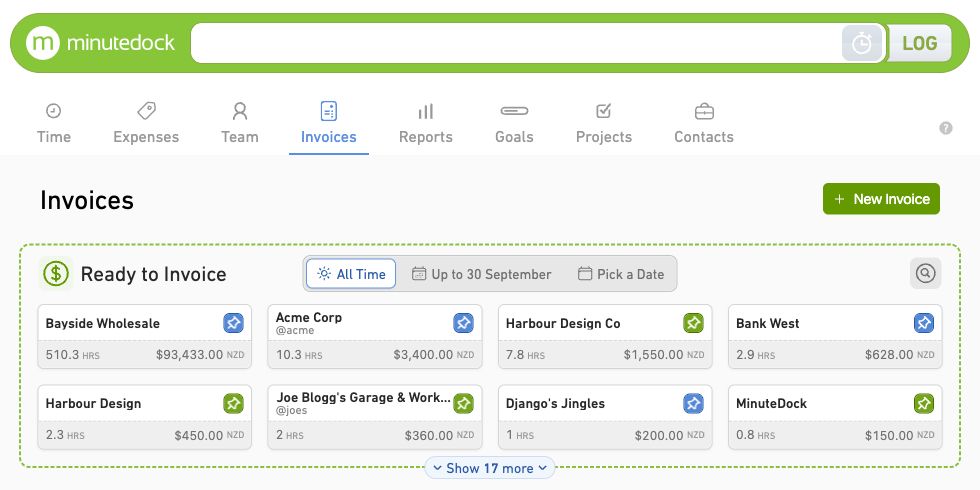
- Know what you can bill
- See each client's unbilled hours and turn them into an invoice.
- We'll help move your WorkflowMax records
- Send us your export. We'll help bring your records into MinuteDock and set up your clients and rates.
Keep the next job within budget
See the hours behind fixed-fee bookkeeping packages and consulting projects before extra work eats into your fee.
Set budgets in hours or billable value, with recurring targets for retainers. Follow progress as your team logs time.
Explore budgets and retainers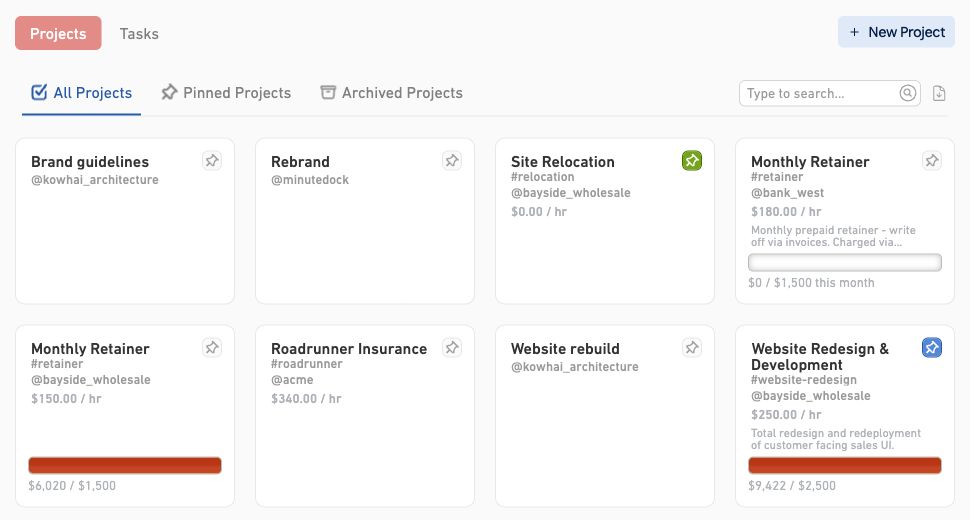
Your hours are already there. Build the invoice.
When it's time to bill, pick the client work you want to include and turn those hours into an invoice. No retyping timesheets into your accounts.
Use your client and project rates, group the work into clear invoice lines, then approve and send through Xero, QuickBooks, MYOB, Wave or FreshBooks.
See how invoicing works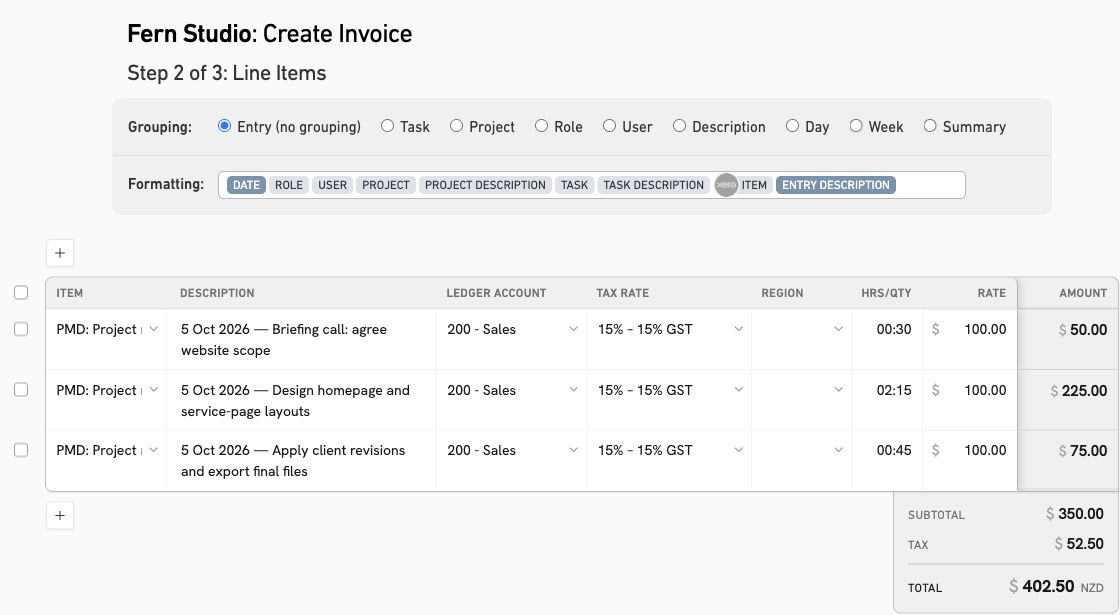
MinuteDock vs WorkflowMax for everyday client work
If time tracking and invoicing are the parts you use most, here's how the two compare on the work you do each week.
WorkflowMax features checked against its public product pages on 5 October 2026.
Try one client before you move the rest
You can find out a lot in 14 days. Pick a current project, track real work and see how it feels to build an invoice from the hours. Decide about moving your records once you've tried it for yourself.
1. Try a familiar project
Pick one client project, set rates and a budget, and track real work. Invite a colleague to try it too.
2. Build an invoice
Review unbilled time and budget progress. Build an invoice with the right rates and detail, then send it to your accounting software.
3. Get help with the move
When you're ready, send us your WorkflowMax export. We'll help map the relevant clients, projects, tasks, rates and time entries.
For the work your clients count on
- Accountants and bookkeepers
- See the hours behind monthly packages, payroll and clean-up jobs. Use that history when it's time to review a fixed fee.
- For accountants · For bookkeepers
- Consultants
- Keep advisory calls and project work against the right client. See how much of the agreed budget you've used before the next meeting.
- For consultants
- Lawyers
- Track calls, research and drafting by matter. Review work in progress with the notes you need to explain the bill.
- For lawyers
- Agencies and service teams
- Keep an eye on monthly retainer hours and one-off projects. Spot the extra requests that are using up the team's time.
- For small businesses
Questions about moving from WorkflowMax
- Can I see all the work we haven't billed yet?
You can report on billable, uninvoiced time across clients, then look at the hours by project, task or team member. Each client's invoiceable total is also available when you're ready to bill.
- What if we use fixed fees or retainers?
Tracking the hours shows you how much work goes into an agreed fee. Set project budgets or recurring daily, weekly or monthly targets to keep track of the time used on packages and retainers.
- Can I keep invoicing through Xero?
Keep Xero for your accounts. MinuteDock creates draft invoices from tracked hours for you to approve and send in Xero. It also connects with QuickBooks, MYOB, Wave and FreshBooks.
- How should I compare costs as my team grows?
Every MinuteDock plan includes every feature, including budgets, reporting and accounting integrations. Choose by team size, with unlimited clients, projects, invoices and time tracking. More client work doesn't add usage charges. See plans and extra-user pricing for your team today and your next hire.
- Can MinuteDock work alongside our job-management tools?
Use MinuteDock for easy daily time tracking, budgets, reporting and invoices from your hours. Keep your existing tools for quoting, lead management, documents and job scheduling; those sit outside MinuteDock's scope.
- Where can I check how you handle client data?
Our privacy policy explains how we store, use and protect personal data. You can also read our Data Processing Addendum. If your practice has specific requirements, talk to our team before moving your records.
- How do I bring my WorkflowMax records across?
Send us your export and we'll help map relevant clients, projects, tasks, rates and time entries into MinuteDock. We'll review the records with you and help set things up to match how you bill.
- Do I need to migrate before starting the trial?
Start with one client or project and try the work you do each day. The 14-day free trial needs no credit card, and our team can help with setup before you decide to move the rest.
Make the next invoice easier on yourself
Put one real project through MinuteDock. See how easy daily tracking can make your next billing day.