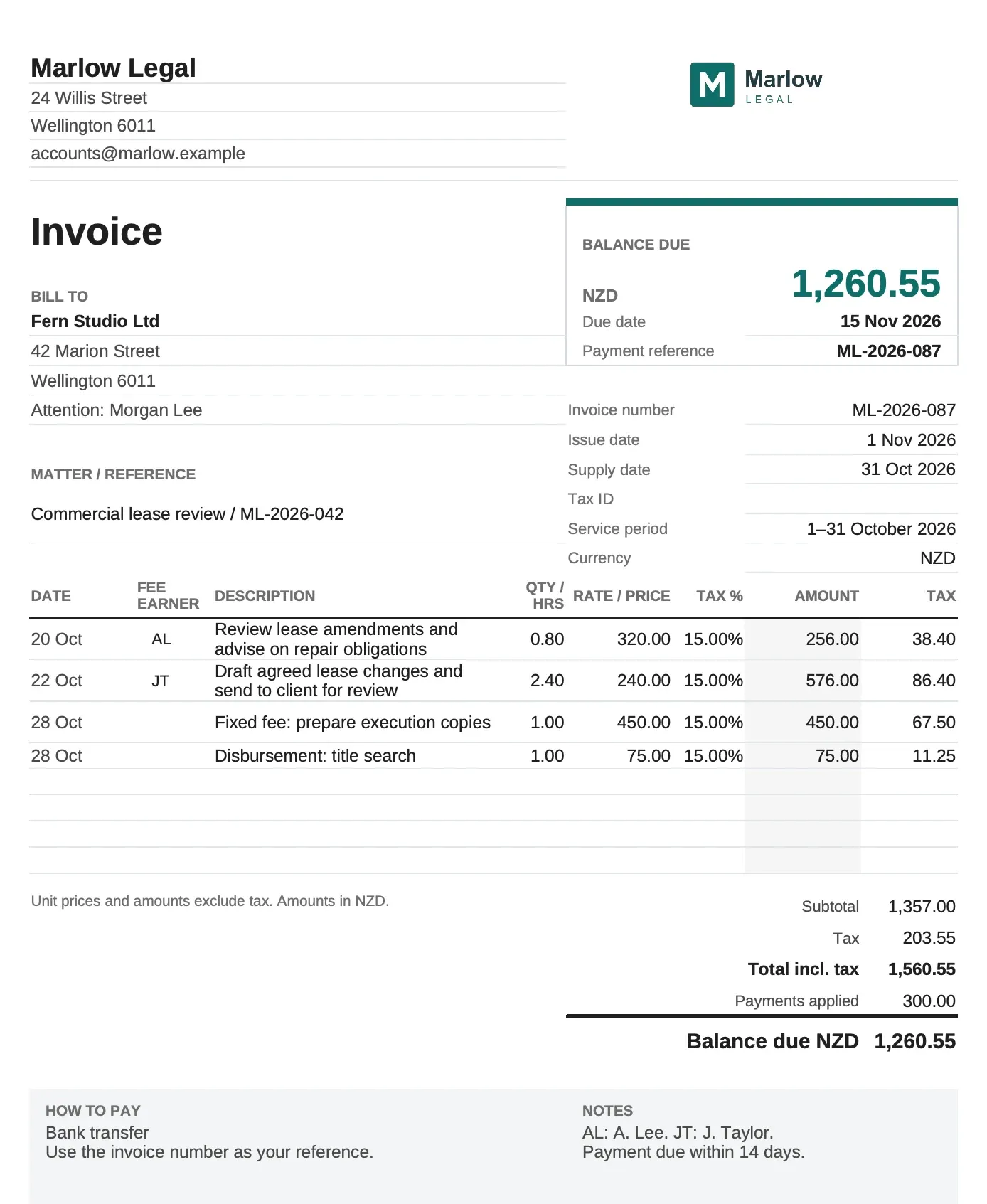
Legal invoice template
Your matter, hours and expenses on one clear invoice.
A free template for small law firms, with room for the detail behind each charge.
Excel (.xlsx), compatible with Google Sheets. PDF for filling in or printing.
Preparing invoices every month? See how MinuteDock helps.
Choose your format
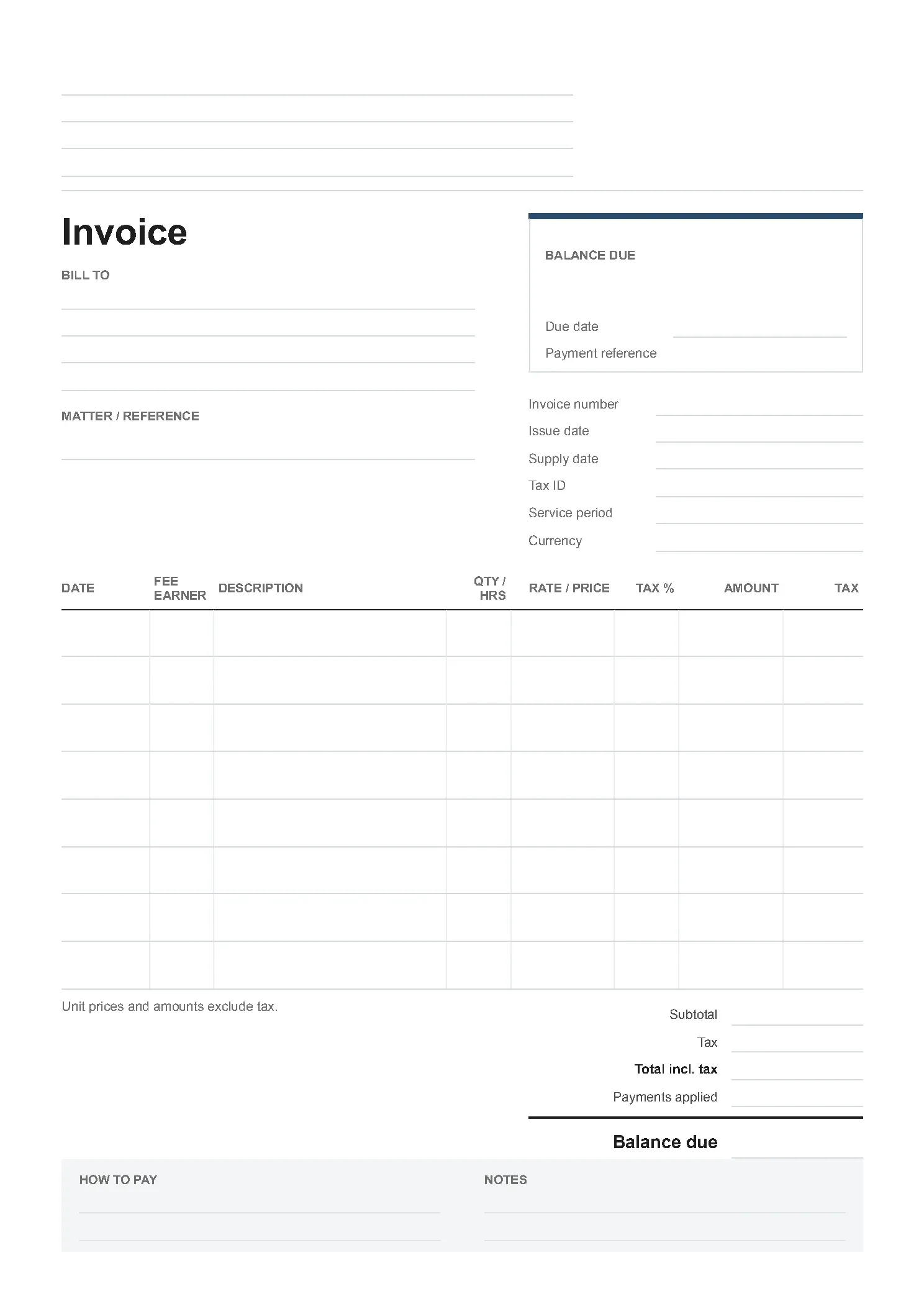
Use the spreadsheet for calculations, or fill in the PDF when you want a fixed layout.
For other client services, see the professional-services invoice template.
Using the legal invoice template
- How do I enter hours, fixed fees and expenses?
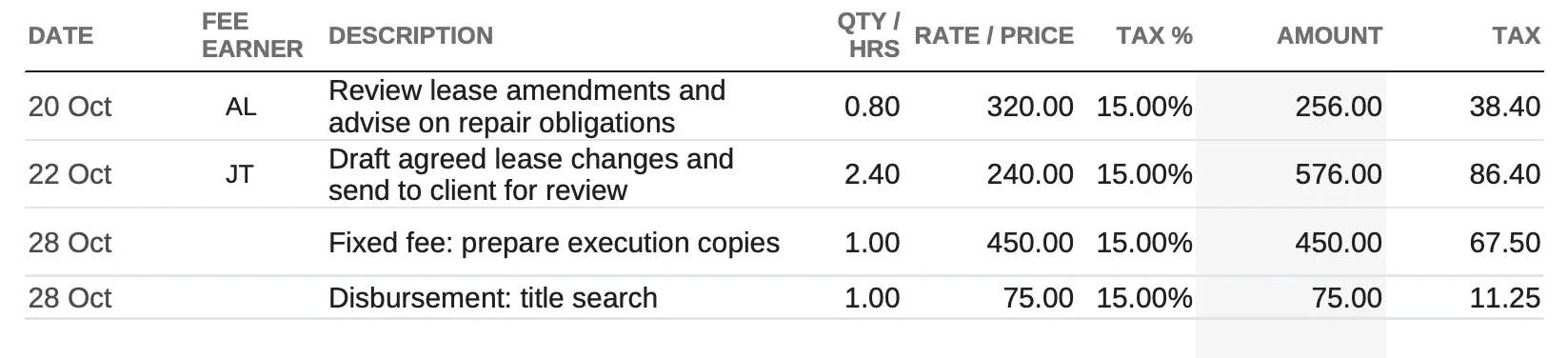
Enter time as decimal hours: 90 minutes is 1.5 hours. For a fixed fee or expense, enter a quantity of 1 and put the full charge in Rate / price. The workbook does not round time to a billing increment.
- Can I use my firm’s branding?
Use the Excel workbook to replace the firm details and insert your logo. Delete the logo placeholder before printing or exporting the invoice.
- Can I change the currency and tax?
Set the currency and enter a tax rate for each charge. The workbook stores tax as a decimal: 0.2 means 20%, rather than 20. Type =0.2 in the tax cell to set 20% without automatic percentage conversion. Choosing a currency does not select a tax rate. A blank tax field in the workbook calculates no tax.
- Is this a LEDES or trust-accounting template?
This is a client invoice for work on a matter. It does not create LEDES files or maintain trust or client-money balances.
Give clients the detail they need
Group related work at the same rate when your client accepts a summary. Use separate dated entries when they need to review each fee earner's work or reconcile charges with a matter budget.
Keep fixed fees and disbursements separate from hourly work on matters that mix billing arrangements.
For a field-by-field guide, see what to include on a service invoice.
Keep the time behind the invoice
Convert recorded minutes to decimal hours, check billing increments, or keep a supporting timesheet.
Formats:ExcelGoogle SheetsPDF
Billable timesheet template
Log time by client and task, round it to your billing increment and see what’s left to invoice.
Get the template →- 1 hr 45 min1.75
Minutes to decimal hours converter
Turn minutes into decimal hours and back, with a printable 1–60 minute chart.
Open the tool → - 105 min at $300$570
Billable hours calculator
Calculate time charges, compare billing increments and break annual billable-hour targets into daily goals.
Open the tool → - 47 min in tenths0.8
Billing increment chart
Look up billed hours at 6-, 10- or 15-minute increments. Compare rounding up with rounding to the nearest, or download the chart.
Open the tool →
Spend less time putting the bill together
Track work against each matter as it happens. When it’s time to bill, use those hours, notes and rates to build the invoice in MinuteDock.