Toggl Track alternative
A Toggl alternative built for client billing
Track client time in one line, see what's unbilled, and turn those hours into invoices in the accounting software you already use.
14 days free. No credit card required.
We'll help you move your Toggl data into MinuteDock. Talk to our team.
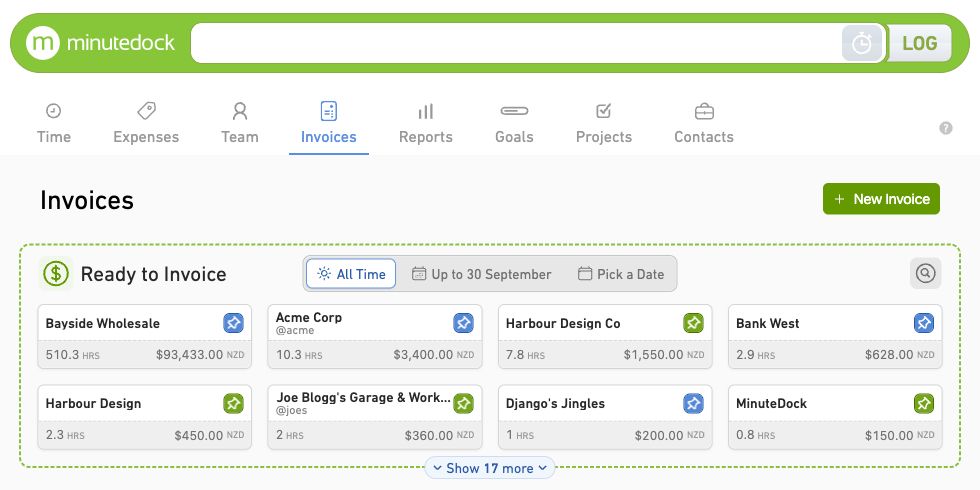
Send invoices to the accounting software you already use.
Quick time tracking between client jobs
Type the client, work and time in one line, or start a timer while you work. It’s quick enough to log a short call before the next job, with the detail there when you invoice.
See how easy time tracking can be →
Get client invoices out faster
See each client’s unbilled work and build an invoice from the hours, rates and notes you’ve already logged. Give clients the detail they need, then approve and send through your accounting software.
Group a month's advisory calls together, or give a legal client an itemised breakdown of the work on their matter.
Explore invoicing with MinuteDock →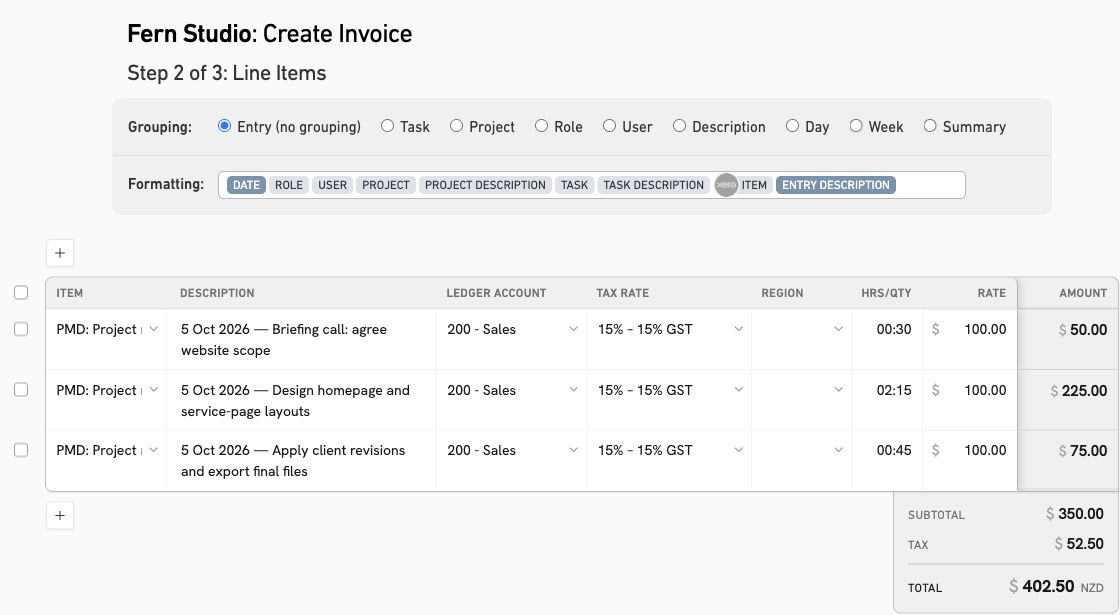
Keep projects and retainers on budget
See how much of a client’s retainer or project budget the work has used. Track hours or billable value as your team logs time, so you can plan the remaining work and agree the price of any extras.
Set recurring targets for monthly packages and use the hours from past projects to price the next one.
Explore budgets and retainers →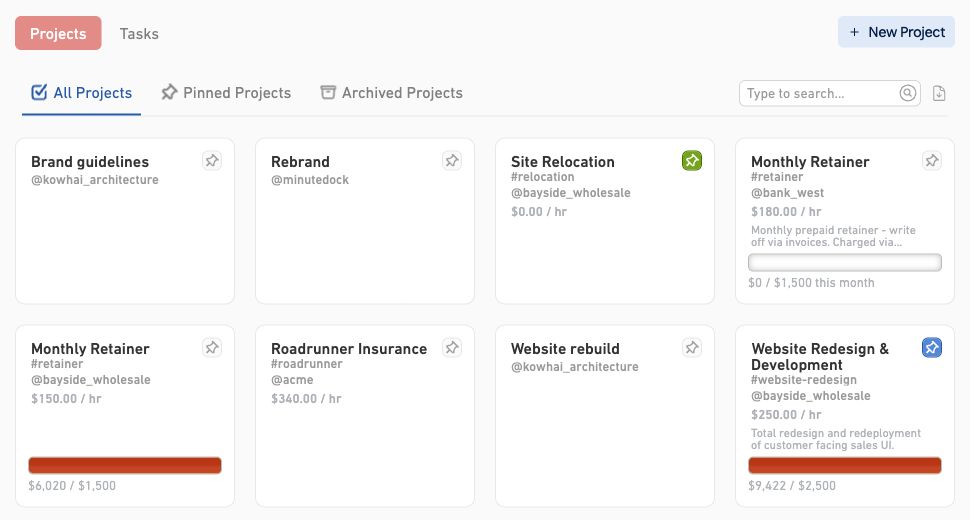
Invoice through your accounting software
Connect MinuteDock to Xero, QuickBooks Online, MYOB, FreshBooks or Wave. Turn tracked hours into invoices without changing how you bill.
Keep your existing client list, invoice templates and branding. MinuteDock marks billed hours, so you can see exactly what's left to invoice.
Explore the accounting integrations →Compare accounting and billing support
| Feature | MinuteDock | Toggl Track |
|---|---|---|
| Xero | Yes | No: Legacy timer only |
| MYOB | Yes | No |
| QuickBooks Online | Yes | Yes: Paid plans |
| Wave | Yes | No |
| Sends invoices to accounting | Yes: Drafts in all five accounting connections | Yes, with conditions: QuickBooks Online only |
| Uses your accounting invoice branding | Yes | Yes, with conditions: QuickBooks Online only |
| Codes lines to your ledger accounts | Yes: By Contact, Project or Task | No |
| Tracking categories / classes | Yes: Xero and QuickBooks Online | No |
| Client list comes from accounting | Yes: Syncs automatically | No |
| Marks time as invoiced | Yes | No |
Price client work with confidence
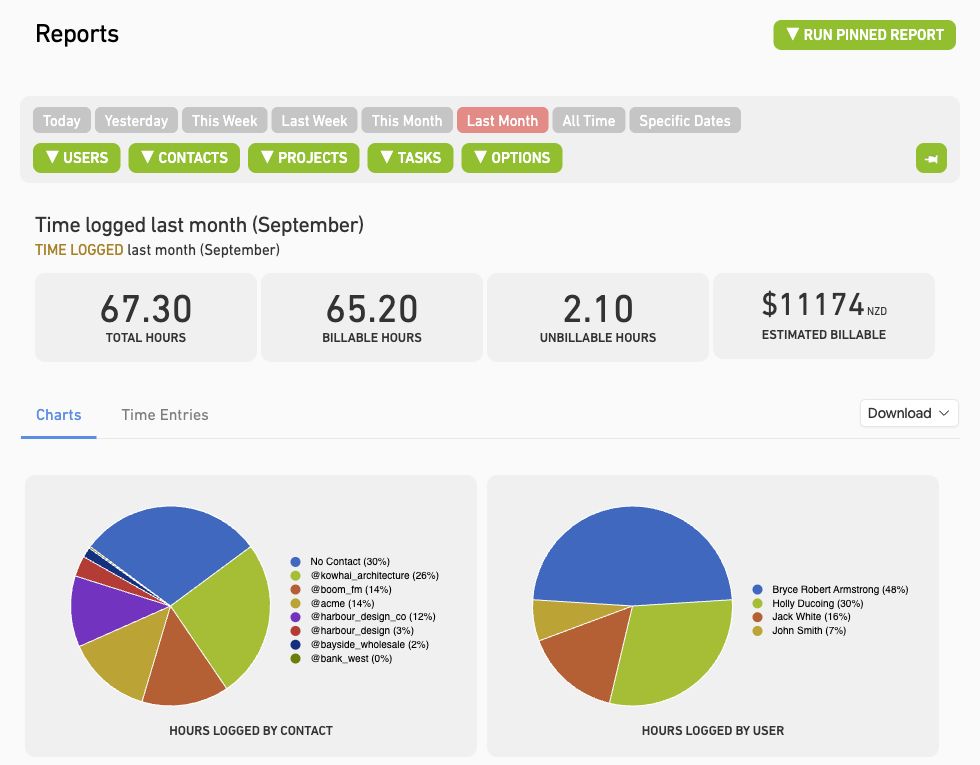
Compare the hours each client takes with the fee you charge. Use that history to quote your next project, review monthly packages and choose the work that’s worth your team’s time.
- Review billable and non-billable time by client, project or task.
- Save your regular report views and export the detail when you need it.
Try a real project before you switch
Try MinuteDock free for 14 days. Track a project, review unbilled hours and build an invoice to see how it fits your team.
No credit card required.
We'll help import your Toggl history into MinuteDock
Send us your Toggl Track export. Our team will help import your clients, projects, tasks, rates and time entries into MinuteDock, and set them up to match how you bill. Start with one client in your free trial, then move the rest when you're ready.
Ask us about importing your Toggl data →Questions about switching from Toggl Track
- Is MinuteDock a good Toggl Track alternative for my team?
MinuteDock suits teams that bill for client work. Accountants, bookkeepers, consultants, lawyers and agencies can track time by client, project or matter, monitor budgets and turn those hours into invoices through their accounting software.
- How does MinuteDock compare with Toggl Track for invoicing?
MinuteDock builds invoices from your tracked hours and connects with Xero, QuickBooks Online, MYOB, FreshBooks and Wave. You can organise the invoice lines to suit your client and see which time has already been billed. Toggl Track also creates invoices, with an accounting integration for QuickBooks Online. The comparison above shows where MinuteDock gives you more accounting options.
- Can I control who sees billing rates and team hours?
Yes. Choose who can see billing rates, manage invoices and report on other people's time. Limit contractors to their clients and use roles to manage permissions for people doing similar work.
- Can you help me move my Toggl Track data?
Our team can help you move from a Toggl Track export. We'll review your clients, projects, tasks, rates and time entries with you and help organise them in MinuteDock. Get in touch about your setup.
- How should I compare Toggl pricing with MinuteDock?
Compare the price for everyone who needs to track time. Every MinuteDock plan includes all features, accounting integrations and unlimited clients, projects, invoices and time tracking. See the plans for your team, then use the free trial to put the tracking, reporting and invoicing to work.
If Harvest is also on your shortlist, estimate your monthly bill with the Harvest price calculator.
- Can I keep using my project management software?
Yes. Keep organising delivery in your project management tool and use MinuteDock to track client time, monitor budgets and create invoices. You can try your next project in MinuteDock before moving your existing records.
Put this week's hours on your next invoice
Keep track of client work and bill from the hours you've logged. Start your 14-day free trial.